Between November 2025 and January 2026, we introduced a series of updates focused on improving efficiency, visibility, and flexibility across the platform.
Shaped by how clubs manage their operations every day, these enhancements are designed to reduce manual effort, improve clarity, and support more consistent experiences.
Here’s a look at what’s new in CourtReserve.
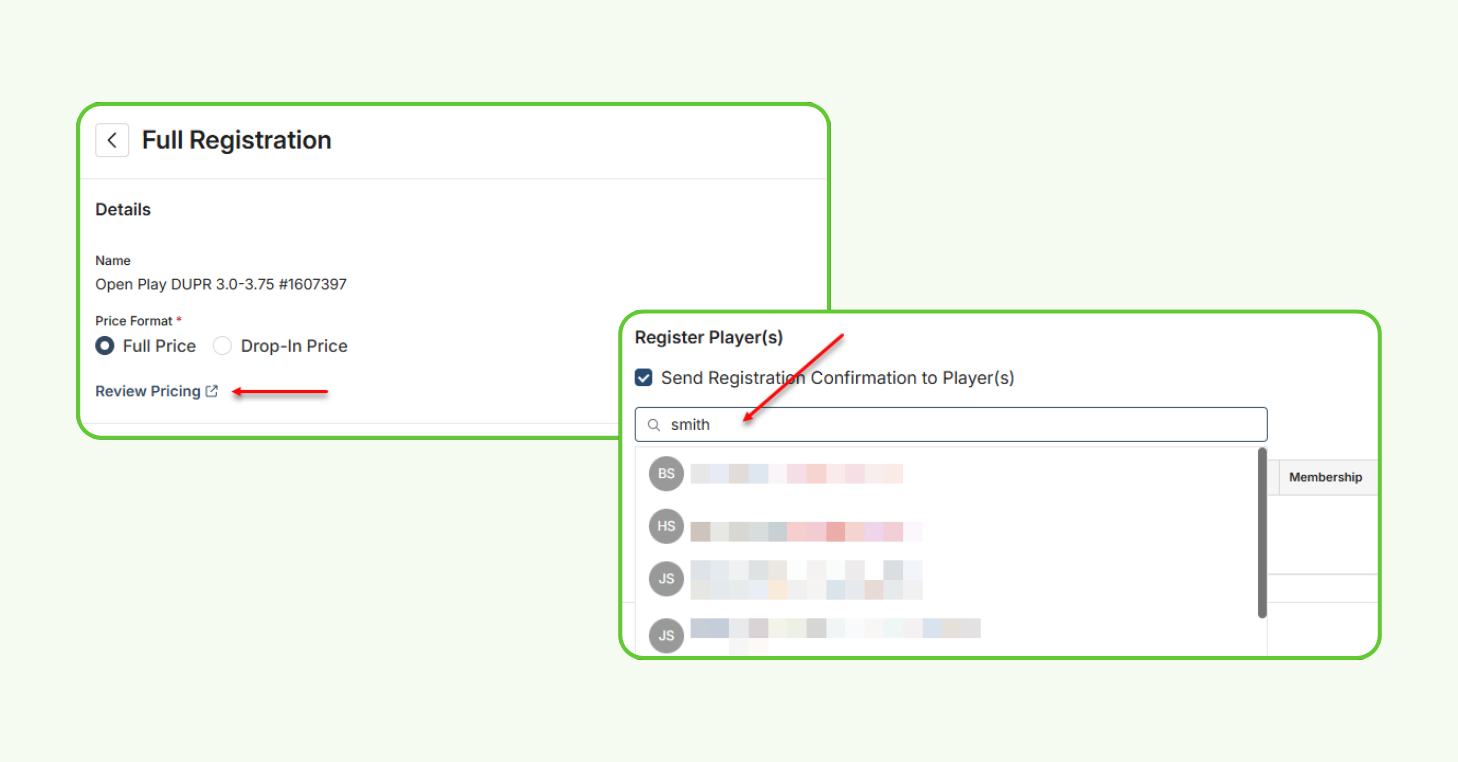
New Admin Event Registration – Global Release
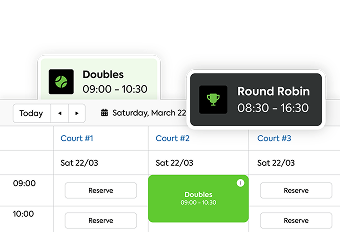
We redesigned the admin event registration experience with an updated interface and workflow that mirrors how admins already create registrations in CourtReserve, making event setup easier and more intuitive.
The refreshed experience includes smarter player tools, improved pricing controls, enhanced custom field handling, and a simplified drop-in and waitlist process — all within a cleaner, more modern layout.
How it works
- Introduces a redesigned admin interface aligned with existing registration workflows
- Improves admin event registration tools
- Delivers a cleaner, faster, and more intuitive workflow
Transaction List Display Enhancements
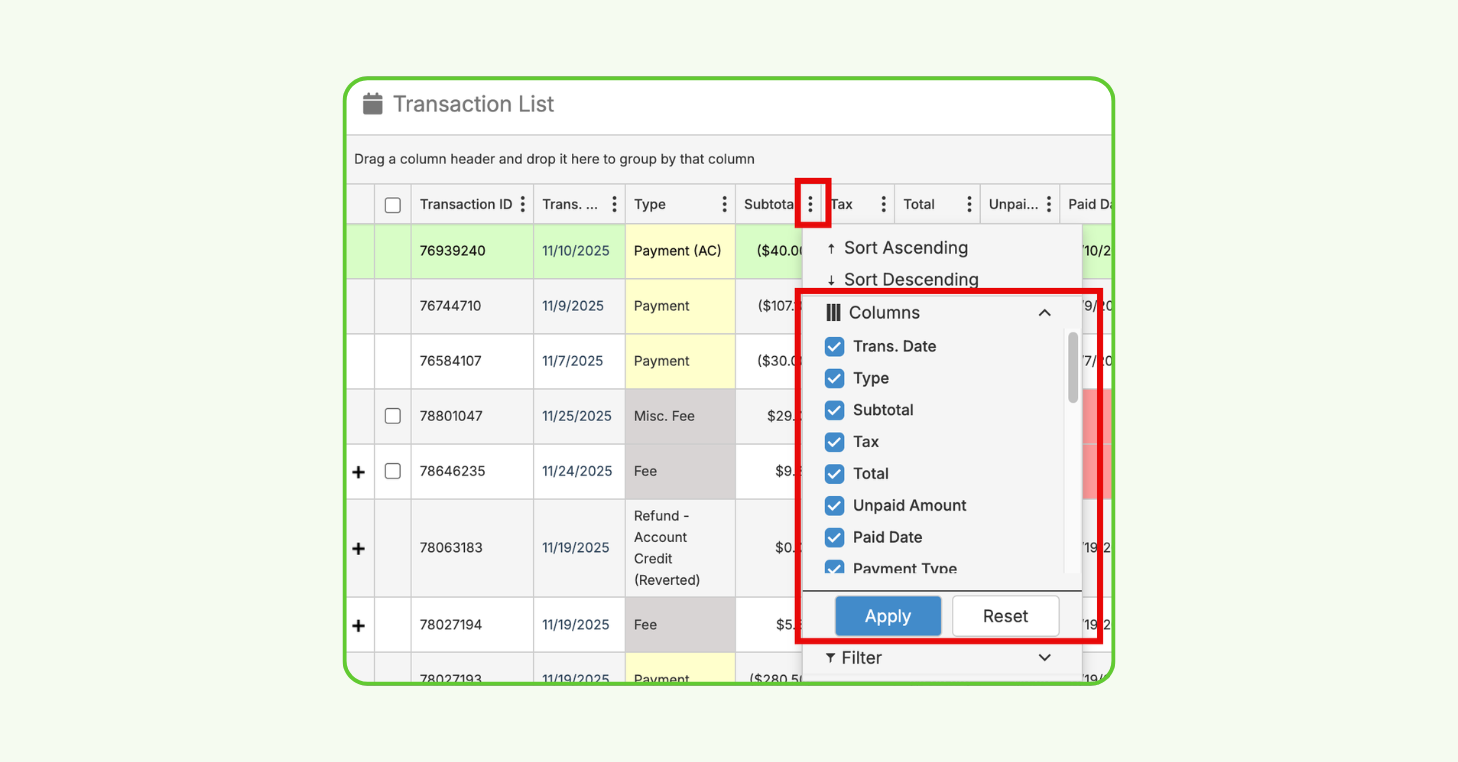
Admins now have more control over the Transaction List Report, with new tools to sort, filter, and hide columns directly in CourtReserve.
With added data fields and updated column names for clarity, clubs can better customize their transaction views — improving the efficiency of financial reviews without having to rely on external spreadsheets.
How it works
- Gives club flexibility in customizing how transaction data is viewed and analyzed
- Adds new column settings that allow admins to sort, filter, and show or hide columns
- Introduces a settings icon on each column for quick customization
- Saves individual display preferences so changes remain between logins
- Includes a reset option to restore the default Transaction List view
Auto Reassign Membership Category After Expiration
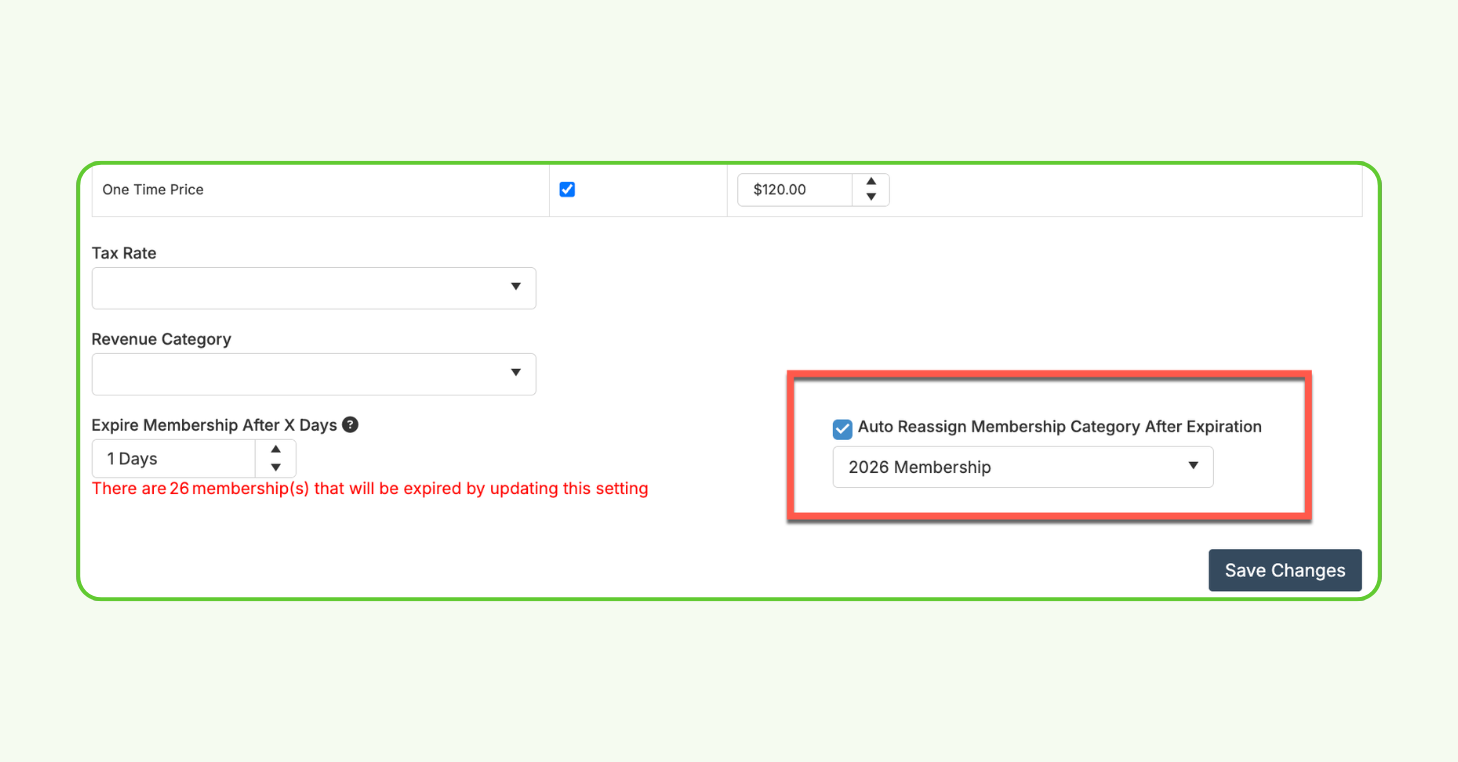
This is a new setting that automatically reassigns players on free or one-time memberships to another membership category when their current one expires.
With this automation in place, clubs can reduce manual admin follow-up and help ensure players transition smoothly into the correct membership — without requiring staff to update records individually.
How it works
- Automatically reassigns players in expired free or one-time memberships
- Reduces manual admin work tied to expired memberships
- Helps keep membership categories current and up to date
Default Frequency Displayed on Membership Cards
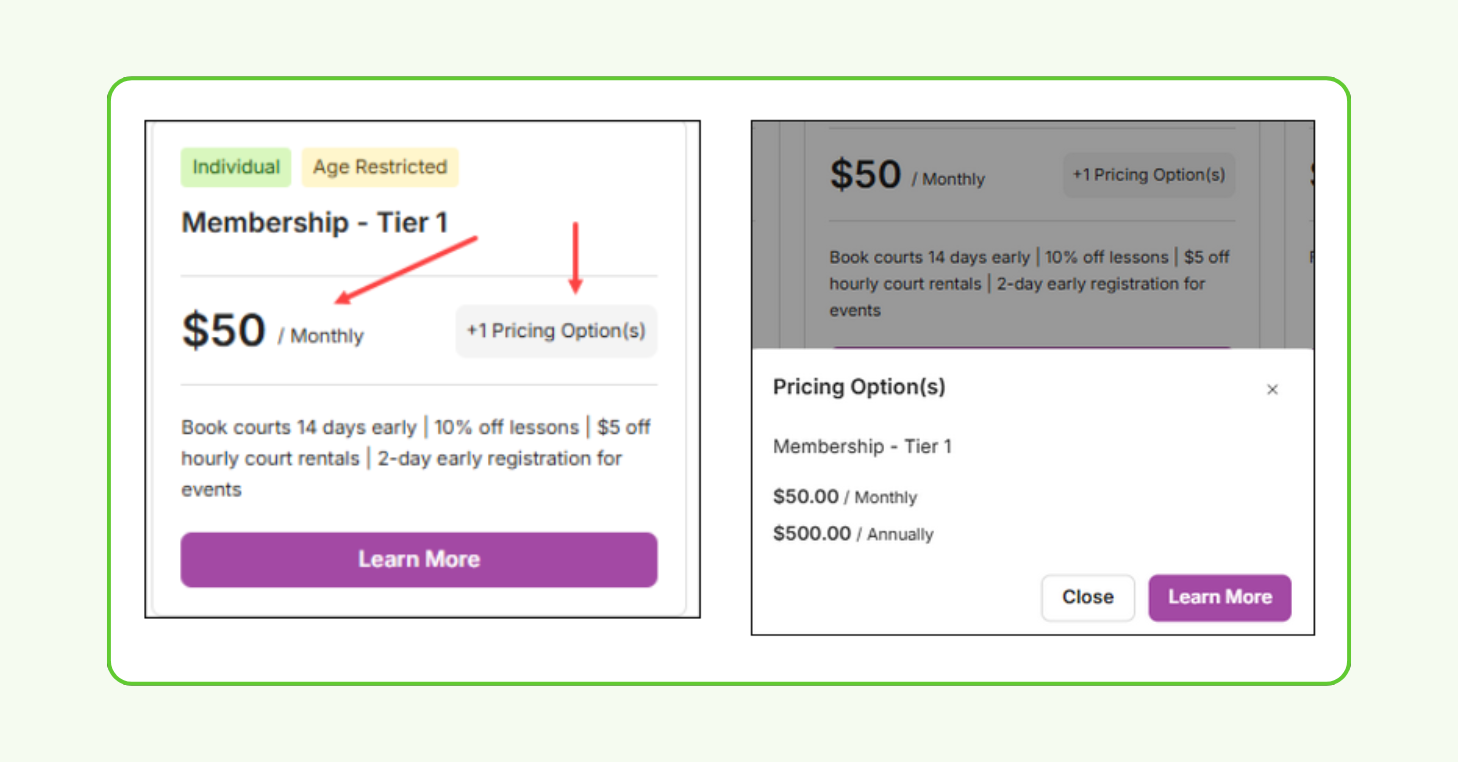
To improve pricing clarity in the Member Portal, admins can now control which billing frequency is shown by default on membership cards.
When a membership includes multiple billing options — such as monthly and annual — admins can select the frequency that appears first. And, players still have the option to view other pricing options if needed, helping create a clearer and more intuitive sign-up experience.
How it works
- Allows admins to control which billing frequency is displayed first
- Highlights the most relevant pricing option on membership cards
- Gives players visibility into additional billing options
- Improves pricing transparency and helps reduce confusion during sign-up
New Audit Logs for Reports
Audit Logs are now available for select reports that include sensitive player and court data, giving clubs greater visibility into how reports are accessed and used.
These logs capture detailed report activity and are retained for one year, helping clubs better monitor usage and maintain accountability around reporting data.
How it works
- Tracks report activity, including when a report is run, filters used, selected outputs, exports, and downloads
- Report Audit Log data is retained for one year
- Helps clubs monitor report usage and maintain accountability around sensitive data
- Available for the following reports:
Members, Online Payments, Guest, Waiver(s), Court Utilization, Attendance Detail, Attendance Summary, Membership Waitlist, Event Registrant Summary, Events Summary, Attendance Check-in, Membership, Leagues – Registrant Detail, and Leagues – Event Registrant Detail
Additional CourtReserve product enhancements
This release includes a collection of enhancements that bring incremental improvements across membership management, events, leagues, and enterprise workflows.
Here are the highlights:
- Members: Mass Update Enhancements – New filters allow admins to mass update members based on their current or last membership, including members who no longer hold an active membership.
- Added “Current Membership” Output to Membership Report – See current membership status in the Membership Report.
- League Audit Log Enhancements – Clearer score tracking, ranking edit history, and session- and Game Day–specific logs.
- League Game Day Cards on Mobile Dashboard – League Game Day cards now appear under My Bookings on mobile for quick access to Game Day details.
- API Enhancements – New API updates improve event, waitlist, and team data visibility and lock Patch integration fields after setup to prevent errors.
- Automatic Cancellation for Team-Based Events – Team-based events now automatically cancel when minimum team registration requirements aren’t met.
- Network Membership: Sync Update on Email Changes – Network memberships now automatically sync when a member’s email is added or updated.
- Enterprise Navigation – A new Locations button on member profiles shows where members exist across the enterprise.
Building forward, together
Every update in this release is shaped by how racquet and paddle clubs use CourtReserve day to day. As we continue refining the platform, we’re excited to keep delivering improvements that make managing racquet club operations clearer, faster, and more flexible.
We look forward to sharing what’s next as CourtReserve continues to grow.