Not all pickleball court reservation software is built the same. If your facility runs leagues, enforces prime-time rules, manages multiple membership tiers, or juggles open play alongside structured programming, you already know that basic booking tools fall short.
Missed reservations, scheduling conflicts, and underutilized courts are symptoms of software that wasn’t designed for the complexity your operation demands.
The right pickleball court reservation software should handle complex scheduling rules automatically, enforcing your facility’s policies in the background while giving players a frictionless booking experience.
Below are 10 features that separate purpose-built court scheduling platforms from generic reservation tools, and why each one matters for facilities managing real operational complexity.
Quick scan — the 10 features at a glance:
- Rule-Based Booking Restrictions
- Prime-Time Access Controls
- Automated Waitlist Management
- Recurring Reservation Support
- Multi-Court Block Scheduling
- Skill-Based and Rating-Integrated Filtering
- Real-Time Availability with Drag-and-Drop Editing
- Cancellation Policy Enforcement with Automated Backfill
- Role-Based Booking Permissions
- Cross-Location Scheduling for Multi-Facility Operators
1. Rule-based booking restrictions
Rule-based booking restrictions allow facility operators to enforce layered scheduling policies — such as advance booking windows, daily reservation limits, and maximum court-time durations — without requiring staff to manually police each booking. This is the foundational capability that separates complex scheduling software from simple calendar tools.
Why it matters for your facility
Most pickleball facilities operate under a web of overlapping policies. Members might be allowed to book 48 hours in advance while non-members get a 24-hour window. Daily limits prevent a single player from monopolizing courts. Duration caps keep turnover moving during peak demand.
Without rule-based restrictions built into the software, staff spend hours fielding booking disputes, manually checking compliance, and correcting errors after the fact. A system that enforces these rules at the point of booking eliminates that friction entirely — the player either meets the criteria or the system prevents the booking before it’s confirmed.
What to look for
The ability to stack multiple rules on the same court or time slot, apply rules by membership type, and adjust policies by day of week or season without developer involvement.
2. Prime-time access controls
Prime-time access controls restrict high-demand court times by membership tier, enforce per-player booking limits during peak hours, and optionally apply dynamic pricing, ensuring fair access across your entire membership base without manual gatekeeping.
Why it matters for your facility
Prime-time courts are your most valuable inventory. Without controls in place, a small group of players can lock up your best time slots week after week, leaving other members frustrated and disengaged. Poor court utilization during peak hours is one of the top drivers of member churn at racquet sports facilities.
Effective prime-time controls balance demand automatically. You might limit members to two prime-time bookings per week, restrict guest access during evenings entirely, or charge a premium rate for Saturday morning slots. The system applies these rules at checkout, eliminating spreadsheets, honor systems, and awkward conversations at the front desk.
What to look for
Configurable prime-time windows by court, day, and season. Per-tier booking caps. Optional premium pricing that adjusts automatically based on the time slot selected.
3. Automated waitlist management
Automated waitlist management instantly notifies and promotes the next player in line when a cancellation occurs, keeping courts filled at maximum capacity without requiring staff to manually reassign open slots.
Why it matters for your facility
Empty courts directly translate to lost revenue. Last-minute cancellations are unavoidable, but how your system handles them determines whether that court time gets recovered or wasted. Facilities that rely on manual waitlists or first-come-first-served scrambles lose bookable hours every single week.
An automated waitlist eliminates that gap. The moment a player cancels, the system sends a notification to the next person in the queue. If that player doesn’t respond within a defined window, the slot moves to the next. This happens in real time, 24/7, no staff phone calls required.
What to look for
Automatic promotion with configurable response windows. Push notifications, SMS, and email alerts. The ability for players to join waitlists directly from the booking interface on their mobile device.
4. Recurring reservation support
Recurring reservation support allows members to lock in weekly, biweekly, or custom-interval court times with automated conflict detection that accounts for leagues, events, maintenance blocks, and holiday closures.
Why it matters for your facility
Serious players and regular groups want consistency. If your best members have to rebook their standing Wednesday doubles game every single week, that’s unnecessary friction, and a risk that they’ll lose their preferred slot to someone else. Recurring reservations solve this by automating repetitive bookings while respecting every other rule in your system.
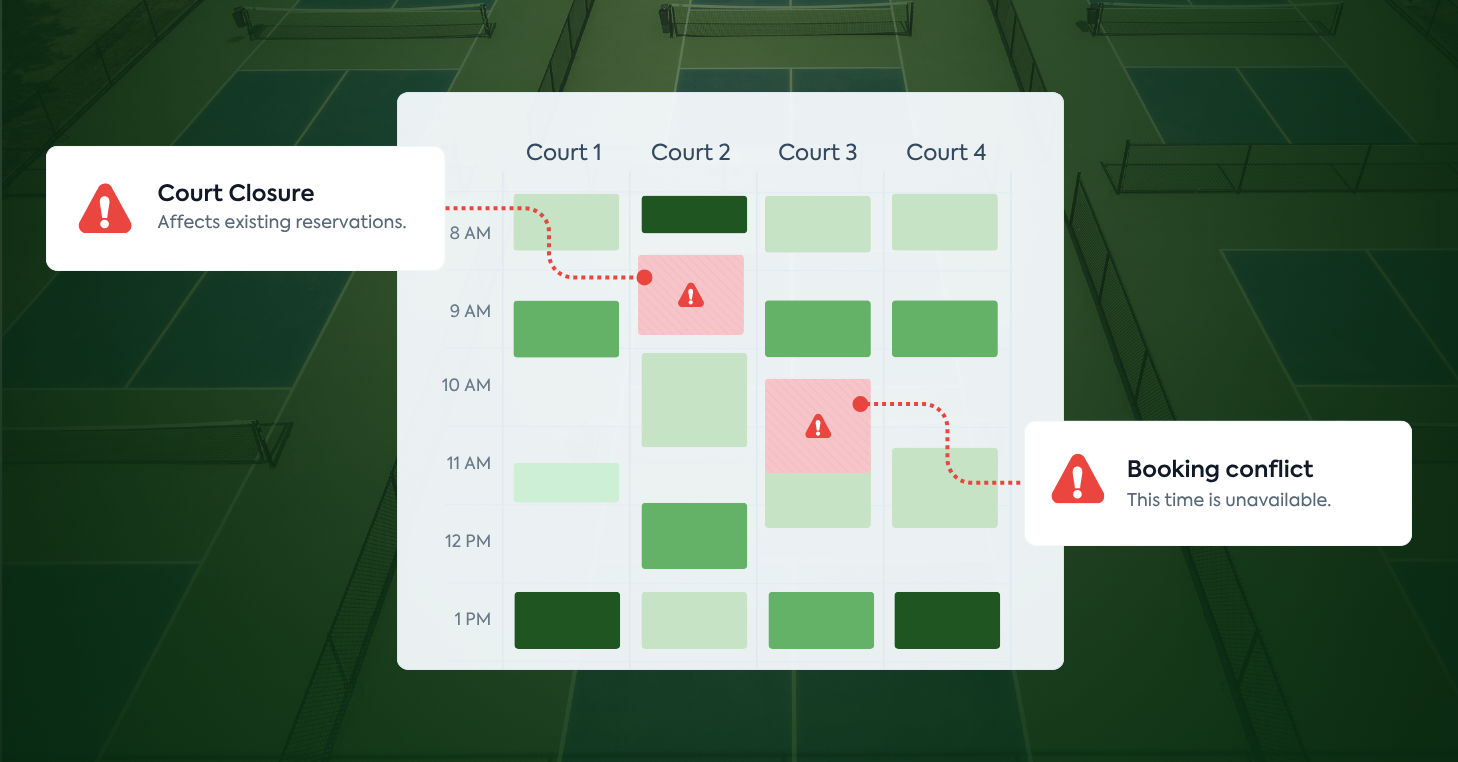
The key here is conflict awareness. A recurring reservation that blindly books over a scheduled tournament or a court closure creates more problems than it solves. The software should automatically detect conflicts in advance, notify the affected member, and offer alternatives.
What to look for
Flexible recurrence patterns (weekly, biweekly, specific days). Automatic conflict detection against events, leagues, and closures. Batch management tools that let staff adjust or cancel recurring series in bulk.
5. Multi-court block scheduling
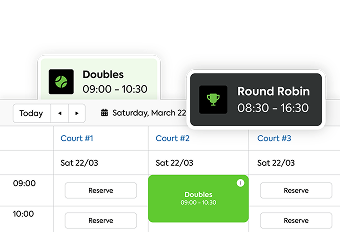
Multi-court block scheduling lets facility operators reserve groups of courts simultaneously for tournaments, clinics, round robins, league matches, and special events with automated time-slot management that prevents overlap with regular bookings.
Why it matters for your facility
Programming drives revenue and engagement, but it also creates the most scheduling complexity. A round robin that needs six courts for three hours on a Saturday morning has to coexist with open play, lessons, and member reservations on your remaining courts. If your software can’t handle block reservations natively, staff end up manually blocking courts, emailing affected players, and hoping nothing falls through the cracks.
Purpose-built block scheduling automates this entire workflow. Select the courts, define the time window, and the system removes those slots from public availability while keeping everything else bookable. When the event ends, the courts automatically reopen.
What to look for
Visual multi-court selection on the scheduler. Automatic blocking of public availability during reserved windows. Integration with your events and league management modules so programming and scheduling share the same data.
6. Skill-based and rating-integrated filtering
Skill-based filtering uses player ratings — such as DUPR scores or internal skill assessments — to control court access for specific programming, match players for open play, and enforce skill-appropriate event registration.
Why it matters for your facility
Skill mismatches are a leading cause of player dissatisfaction. A 3.0-rated player dropping into an advanced open-play session frustrates everyone on the court. Conversely, advanced players who can’t find competitive matches disengage and look elsewhere.
Pickleball court reservation software with DUPR integration automatically syncs player ratings into player profiles. From there, you can set skill-level prerequisites on events, filter open-play sessions by rating range, and ensure league matchups are competitive. This creates a better experience for every player and reduces the administrative overhead of manually vetting registrations.
What to look for
Native DUPR integration with automatic rating sync. The ability to set skill-range filters on events, open play, and specific court bookings. Internal rating options for facilities that use their own assessment system alongside or instead of DUPR.
7. Real-time availability with drag-and-drop editing
Real-time availability displays live court status on a visual scheduler that staff can adjust instantly through drag-and-drop rescheduling, with changes reflected immediately across the player-facing app, front desk view, and any connected displays.
Why it matters for your facility
Scheduling is never static. Rain delays, lesson overruns, maintenance issues, and last-minute event changes happen constantly. If updating the schedule requires navigating multiple screens, editing individual bookings, and manually notifying affected players, your staff wastes time and errors multiply.
A visual drag-and-drop scheduler changes this entirely. Staff can grab a booking, move it to a different court or time, and the system automatically updates availability, sends notifications to affected players, and adjusts any connected rules, all in a single action. Colors, categories, and custom fields on the scheduler make it easy to see at a glance what’s happening across your entire facility.
What to look for
A fully customizable drag-and-drop interface with color coding. Instant sync across player app, staff dashboard, and lobby displays. The ability to filter the view by court type, booking category, or time range.
8. Cancellation policy enforcement with automated backfill
Cancellation policy enforcement automatically applies cancellation windows, late-cancel fees, and no-show penalties based on your facility’s rules, while simultaneously releasing the open slot to waitlisted players for real-time backfill.
Why it matters for your facility
Cancellations without consequences create a culture of no-shows. When there’s no penalty for bailing on a reservation, players book speculatively and cancel freely, leaving courts empty during prime time and lost revenue on the table. On the flip side, overly rigid cancellation policies frustrate members if they’re enforced inconsistently.
Automated enforcement removes the inconsistency. Every cancellation is processed against the same ruleset: cancel outside the window, no charge. Cancel inside the window, the fee applies automatically. No-shows are flagged and penalized per your policy. Meanwhile, the freed-up slot immediately goes to the waitlist, turning a potential loss into a recovered booking.
What to look for
Configurable cancellation windows by booking type (open play vs. league vs. lesson). Automatic fee application at the point of cancellation. Integration with waitlist management so backfill is instantaneous.
9. Role-based booking permissions
Role-based booking permissions assign different booking capabilities to members, non-members, guests, staff, and teaching pros, with granular control over what each role can access, when they can book, and how far in advance.
Why it matters for your facility
Not every person who books a court at your facility should have the same privileges. Full members might book seven days in advance; trial members get 48 hours. Pros need to block court time for lessons without going through the standard booking flow. Non-members booking through your public portal might only access off-peak hours.
Without role-based permissions, facilities either default to one-size-fits-all rules (which frustrate premium members) or rely on staff to manually approve certain bookings (which slows everything down). Role-based permissions enforce these distinctions automatically, ensuring that every booking aligns with the access level you’ve defined for that user type.
What to look for
Unlimited custom roles beyond basic member/non-member. Per-role advance booking windows, daily limits, and court-type access. The ability for pros and staff to manage their own court blocks within defined parameters.
10. Cross-location scheduling for multi-facility operators
Cross-location scheduling allows multi-facility operators to manage court availability, enforce location-specific booking rules, and view consolidated reporting across all sites from a single platform, while giving players one account to book at any location.
Why it matters for your facility
Managing multiple locations with separate scheduling systems creates data silos, inconsistent member experiences, and operational blind spots. If a member at your downtown location wants to book a court at your suburban facility, they shouldn’t need a separate account, a phone call, or a different app.
Cross-location scheduling unifies the experience. Each facility maintains its own rules, court configurations, and pricing, but everything is managed from one dashboard. Membership access can be configured for single-location, multi-location, or network-wide privileges. Consolidated reporting gives operators a bird’s-eye view of court utilization, revenue, and member engagement across the entire portfolio.
What to look for
Centralized management dashboard with per-location rule customization. Single-account player experience across all facilities. Consolidated financial and utilization reporting with location-level drill-down.
How to evaluate pickleball court reservation software for complex scheduling
Having the right feature checklist is a strong starting point, but knowing how to evaluate court reservation software against your facility’s specific needs is equally important. Here’s a framework for making the right decision:
Map your current scheduling pain points
Before you demo any software, document every manual workaround your staff uses today. Are they maintaining a separate spreadsheet for recurring reservations? Manually texting players when cancellations happen? Blocking courts for events by editing individual time slots? Each workaround represents a feature requirement.
Test with your most complex scenario
Every scheduling platform handles simple cases well: a member books a court for tomorrow at 2 PM. The real test is your hardest scenario: a Saturday morning where a league occupies four courts, two courts are reserved for a clinic, open play is running on the remaining courts with a waitlist, and a member with a recurring reservation has a conflict. If the software handles that without manual intervention, it can handle your facility.
Ask about rule stacking
Individual features are useful, but the real value is in how they interact. Can you apply prime-time restrictions, membership-tier access, and daily booking limits to the same court at the same time? If the answer is no, you’ll hit the same ceiling that basic tools impose.
Verify the player experience
Complex back-end rules should be invisible to the player. When a member opens the app, they should see only the courts and times they’re eligible to book. No error messages explaining why they can’t access a slot. No confusion about which rules apply. The complexity should live in the admin panel, not the player’s screen.
Complex scheduling: purpose-built software vs. basic booking tools
| Capability | Basic Booking Tools | Purpose-Built Court Reservation Software |
| Rule stacking | Single rule per slot | Multiple overlapping rules per court, per time, per tier |
| Prime-time controls | Manual or not available | Automated per-tier limits, premium pricing, guest restrictions |
| Waitlist management | Manual first-come-first-served | Automated promotion with push/SMS/email notifications |
| Recurring reservations | Basic repeat without conflict detection | Conflict-aware recurrence with league/event/closure detection |
| Multi-court events | Block each court individually | Visual multi-court block with automatic availability sync |
| Skill-based filtering | Not available | DUPR integration, skill-range prerequisites on events and open play |
| Visual scheduler | Calendar list view | Drag-and-drop with color coding, categories, and real-time sync |
| Cancellation enforcement | Manual or honor system | Automated windows, fees, no-show penalties, and instant backfill |
| Role-based permissions | Member / non-member only | Unlimited custom roles with granular access controls |
| Multi-location support | Separate instance per location | Unified dashboard, single player account, consolidated reporting |
Stop fighting your scheduling software
If your current system requires workarounds for every scenario beyond a simple court booking, it’s costing your facility time, revenue, and member satisfaction. For any pickleball facility running complex operations, these 10 features are the baseline.
CourtReserve is built specifically for tennis, pickleball, and padel facilities that need scheduling software capable of handling real-world complexity. From rule-based booking restrictions and DUPR integration to multi-location management and automated waitlists, every feature is designed to eliminate the manual work that holds your facility back.
Ready to see how your facility’s most complex scheduling scenarios run on a platform built for exactly that? Schedule a call with our team and we’ll walk through your specific rules, membership tiers, and programming setup to show you what it looks like when the software handles the complexity instead of your staff.
Frequently Asked Questions
What is complex pickleball court scheduling?
Complex pickleball court scheduling refers to the ability of court reservation software to enforce layered booking rules such as prime-time restrictions, member-tier access controls, advance booking windows, multi-court tournament blocks, and skill-based play restrictions. Unlike basic scheduling, complex scheduling handles overlapping rule sets without creating conflicts or requiring manual staff intervention.
What features should pickleball court reservation software include for complex scheduling?
Pickleball court reservation software for complex scheduling should include rule-based booking restrictions, prime-time access controls, automated waitlist management, recurring reservation support, multi-court block scheduling, skill-based and DUPR-integrated filtering, real-time availability with drag-and-drop editing, cancellation enforcement with automated backfill, role-based booking permissions, and cross-location scheduling for multi-facility operators.
Why do basic court reservation systems fail at complex scheduling?
Basic court reservation systems fail at complex scheduling because they lack the ability to layer multiple booking rules simultaneously. They typically cannot enforce different access levels by membership tier, restrict booking windows by time of day, or handle recurring reservations alongside open-play blocks. This leads to double bookings, underutilized courts during off-peak hours, and excessive manual intervention from staff.
How does automated court scheduling reduce booking friction for pickleball facilities?
Automated court scheduling reduces booking friction by allowing players to self-service their reservations 24/7 from any device, while the system enforces all facility rules in the background. Automated waitlists instantly notify next-in-line players when cancellations occur, recurring reservations eliminate repetitive rebooking, and real-time availability prevents conflicts before they happen. This removes the need for phone calls, walk-ins, or staff-mediated bookings.
Can pickleball court reservation software handle multi-location scheduling?
Yes. Advanced pickleball court reservation software supports cross-location scheduling from a single platform. Facility operators can manage court availability, enforce location-specific booking rules, and view consolidated reporting across all sites. Players can book courts at any location through one account, and membership access can be configured to allow single-location or multi-location privileges.
What is the difference between pickleball court reservation software and general booking tools?
General booking tools like Calendly or Acuity are designed for appointment-based scheduling and lack court-specific logic. Pickleball court reservation software is purpose-built for facility operations and includes features like multi-court visual schedulers, prime-time enforcement, DUPR rating integration, league and event block scheduling, player-facing mobile apps, and membership-tier access controls. General tools cannot enforce the overlapping rule sets that pickleball facilities require.