CourtReserve now integrates with Track Tennis, bringing AI-powered court video and automatic recording to your racquet sports club.
When an eligible player books a court or registers for an event, Track Tennis records the session automatically. Once the recording is ready, players receive the finished video in the CourtReserve app, along with text and email notifications.
This removes friction from the recording experience, as players don’t have to start a recording or remember to stop one. They simply book, play, and the match recording is waiting for them afterward.
With Track Tennis now part of CourtReserve’s growing lineup of video recording integrations, racquet and paddle clubs have another way to make match video part of the player experience.
The Track Tennis integration is available to CourtReserve clubs for $25/month on the Launch plan and is included with Advance, Momentum, and Enterprise plans. Additional charges from Track Tennis apply. Visit the Help Center for setup details, or contact the CourtReserve team with questions.
What is Track Tennis, and why are racquet clubs adding it?
Track Tennis is a cloud video platform for racquet and paddle facilities, with more than 1,500 cameras installed across clubs, schools, and college programs. It connects to the cameras at your court, handles recording and storage, and delivers finished video to the players who were on court.
For your club, that turns court video from a day-to-day project into a ready-to-run service. Processing, storage, and delivery all happen on the Track Tennis side, and the finished video lands in the CourtReserve app your members already use.
Here’s what that looks like across your operation.
Deliver match video to players without them lifting a finger
The best recording experience is one players barely have to think about. With this CourtReserve integration, there’s no separate setup to work through before they play and nothing to start or stop once they’re on court.
Eligible players can stay focused on the match. Their reservation or event registration already puts the recording in motion, and the finished video comes back to them afterward.
The technology fades into the background, while match video becomes a natural part of the player experience.
Build recurring revenue from court video
Automatic video recording gives your club another way to strengthen the value of a membership and create revenue around something players already care about.
Membership type drives both who gets recorded and what they pay, so your club can package recordings however it wants. Include recordings in a higher-value membership and they become a reason to upgrade. Offer them as a paid service and each processed recording can generate revenue. Mix and match across membership types and you can do both.
CourtReserve supports hourly, fixed, or no-cost recording rates, along with configurable tax rates and revenue categories. So, those charges land on the player’s account alongside the other fees they already pay through CourtReserve.
The result is another service your club can intentionally build into its membership and revenue strategy.
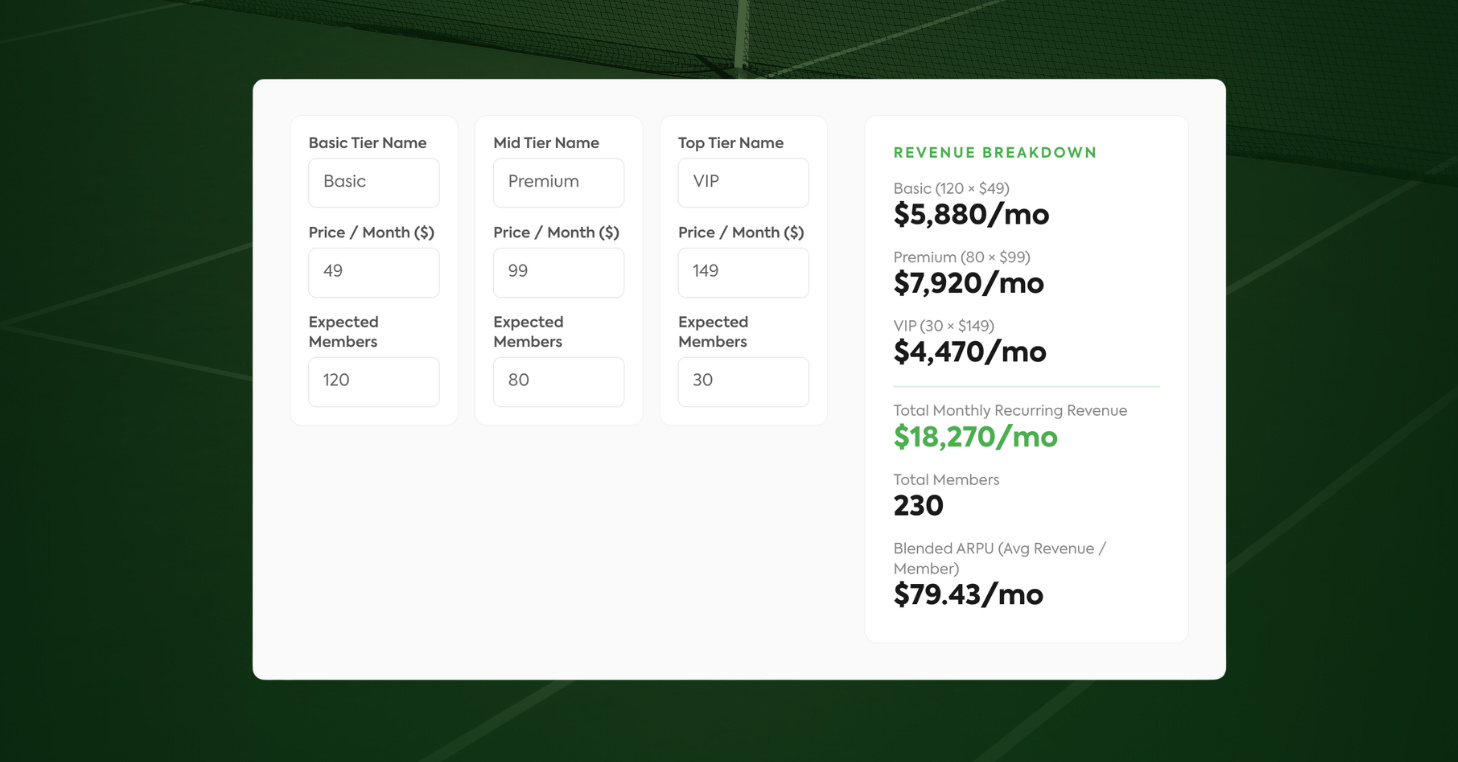
Membership Pricing Calculator
A free tool for racquet and paddle clubs to model membership tiers, pricing, and revenue.
Use the cameras you already have
Track Tennis connects to any IP camera, so clubs with cameras already installed may be able to use their existing hardware instead of purchasing new equipment.
The Track Tennis team can review your setup and help determine what will work. If you’re starting from scratch, you can order a recommended kit or source your own cameras.
That flexibility lets you build around investments you’ve already made, lowering the hardware barrier to court video while keeping a major upfront cost off your bottom line.
Give players more ways to revisit a match
Some matches are worth rewatching from start to finish. Other times, it’s one rally or one point players want to see again.
Track Tennis supports both. Players get the full session in HD, including multi-hour matches, while AI removes dead time between points to create a shorter highlight reel. Ball tracer and instant replay add another way to revisit specific moments.
The same match can become a full replay, a quick recap, or a closer look at the play that mattered most — giving players more reasons to come back to it after they leave the court.
How the Track Tennis integration works in CourtReserve
Once the Track Tennis integration is connected, upcoming CourtReserve reservations and event registrations trigger recording automatically for eligible players.
From there, Track Tennis captures and processes the session. When the recording is ready, the video becomes available through CourtReserve and is delivered to the player by text, email, and the mobile app.
For your team, the day-to-day experience comes down to a few controls in CourtReserve and an automatic recording flow built around the bookings already on your calendar.
For clubs
Your team controls who’s eligible for automatic recording, what the service costs, and how recording activity is tracked.
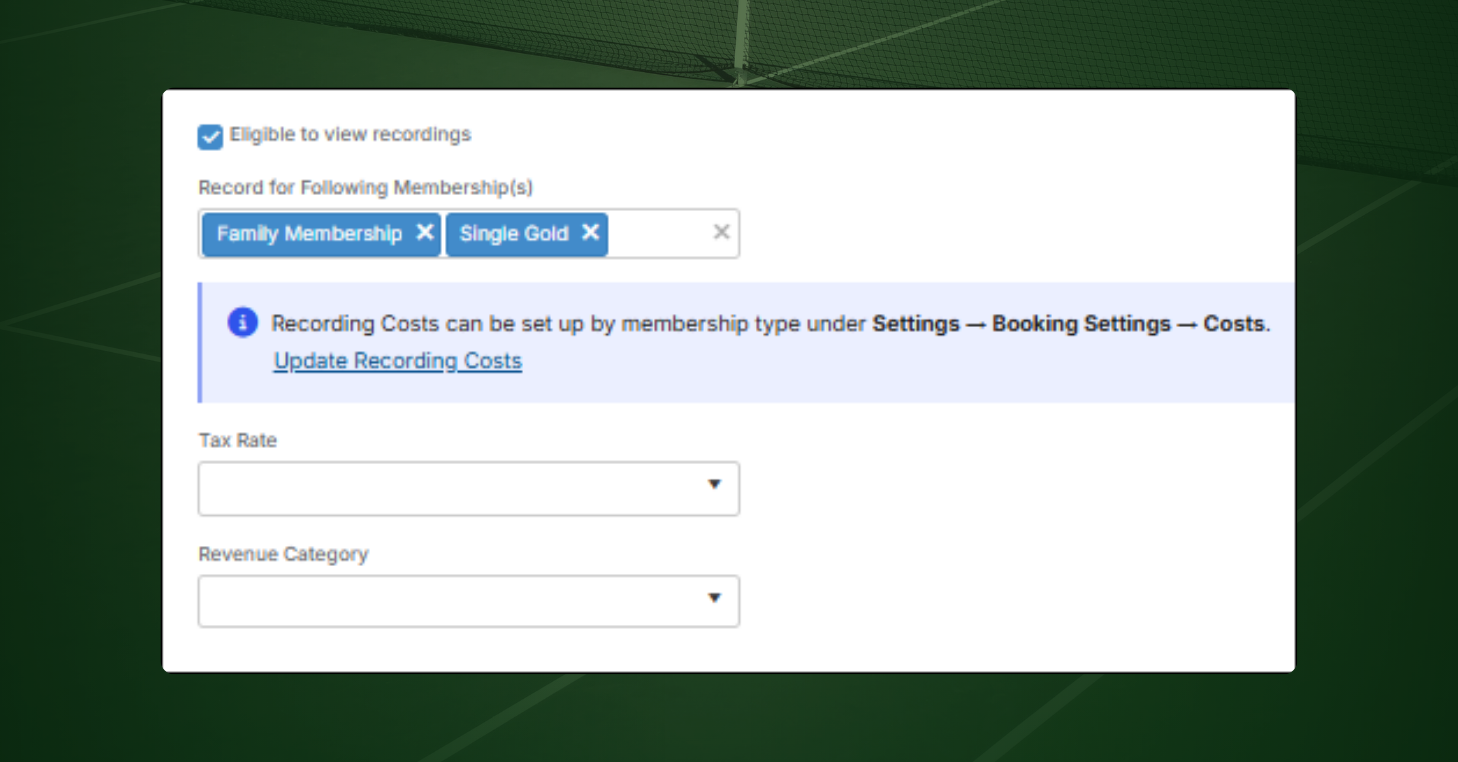
- Choose which memberships get recorded: Select the membership types whose bookings and registrations should trigger recording automatically. Leave the list empty and every membership type is eligible.
- Make exceptions player by player: Turn automatic recording on or off for an individual member, regardless of their membership type.
- Set recording costs: Set an hourly or fixed cost by membership type under Booking Settings, then apply a tax rate and revenue category as needed.
- Track recording activity: Every automatically initiated recording appears in the CourtReserve audit log under the Recording entity type.
Once those controls are in place, an eligible reservation or event registration triggers the recording flow automatically.
For players
For eligible players, Track Tennis’ automatic video recording fits around the way they already book and play.
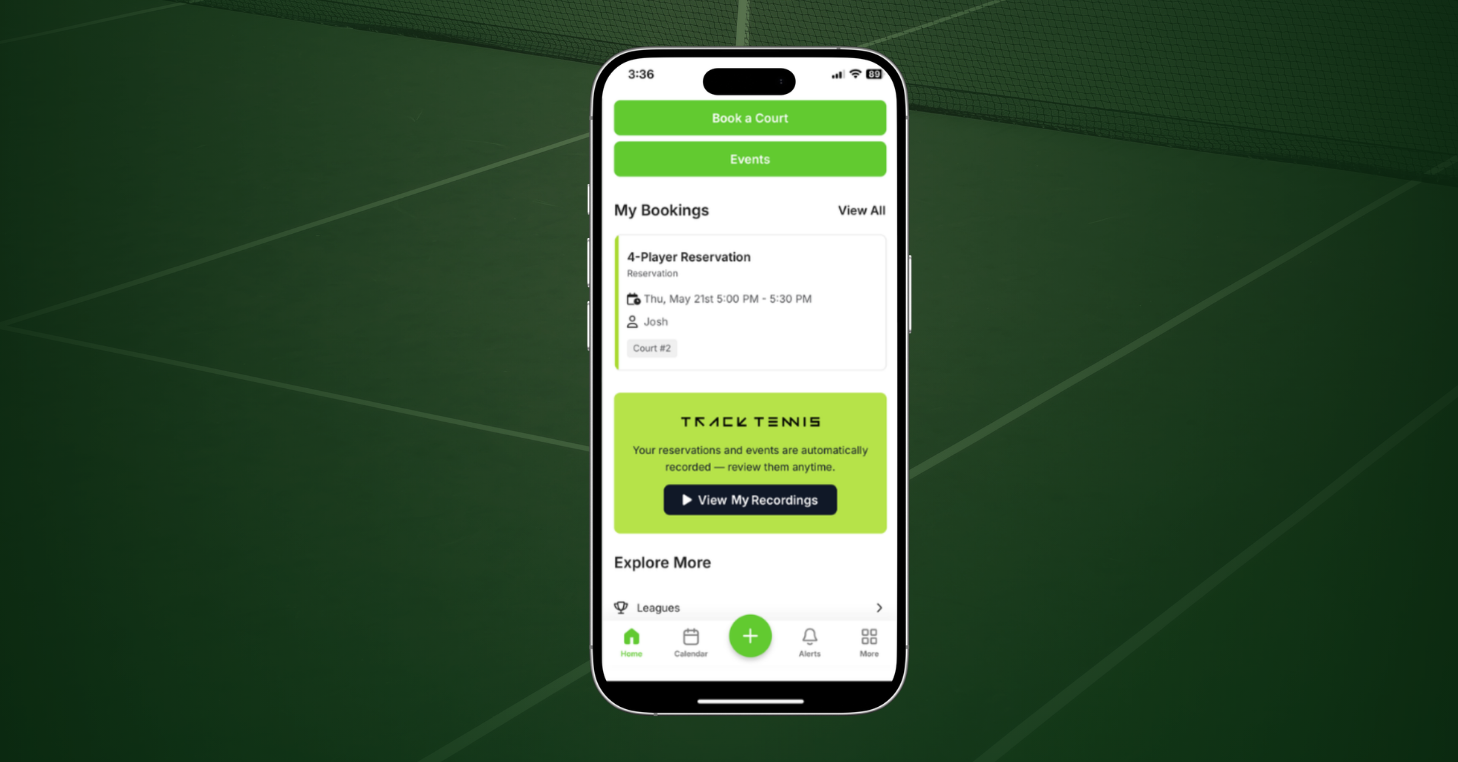
- Find recordings in CourtReserve: Completed recordings appear in the Track Tennis section of the CourtReserve mobile app, below My Bookings, with a thumbnail preview for each session.
- Receive video three ways: Once Track Tennis processes the recording, players receive it by text, email, or in the CourtReserve app.
- Control their recording preference: Players can turn automatic recording on or off through the Video Service field on their Personal Information page in the member portal or mobile app.
There’s no separate recording setup for the player to manage before they step on court. Their booking starts the process, and the finished recording comes back to them afterward.
Ready to bring CourtReserve + Track Tennis to your racquet and paddle club?
Getting started takes a few steps.
First, submit the Track Tennis Sales Request and contact CourtReserve Support for the liability waiver your organization will need to review and sign. Then:
- Go to Settings > Additional Features
- Enable Video Recording Integration
- Click Setup
- Select Track Tennis
- Share the CourtReserve-generated API credentials with the Track Tennis team
Once connected, your team can set recording eligibility, configure costs if needed, and bring court video into the reservations and events you already manage in CourtReserve. Head to the Help Center for details on setup.
Frequently asked questions about CourtReserve and Track Tennis
What is the CourtReserve + Track Tennis integration?
The integration connects CourtReserve with Track Tennis so eligible court reservations and event registrations can trigger video recording automatically. Once Track Tennis processes the recording, players can access it through CourtReserve.
Does Track Tennis work for pickleball and padel?
Yes. Track Tennis supports all racquet sports. Recording is triggered by the booking rather than the sport, so any reservation or event registration on a court with a camera can be recorded.
Do players have to start or stop a Track Tennis recording?
No. For eligible players, recording starts automatically based on their upcoming reservation or event registration. Players do not need to initiate the recording themselves.
Where do players receive their Track Tennis recordings?
Once processed, recordings are delivered by text, email, and the CourtReserve mobile app. In the app, players can find completed recordings in the Track Tennis section below My Bookings.
Can clubs control which players have their sessions recorded?
Yes. Recording eligibility can be set by membership type or for an individual player. Players can also turn automatic recording on or off through the Video Service setting in their member portal or mobile app.
Can clubs charge for Track Tennis recordings?
Yes. CourtReserve lets clubs set hourly or fixed recording costs by membership type. Clubs can also apply a tax rate and assign recording transactions to a revenue category.
How much does the Track Tennis integration cost?
The Track Tennis integration costs $25 per month on CourtReserve’s Launch plan and is included with Advance, Momentum, and Enterprise plans. Additional charges from Track Tennis apply.
How do clubs get started with Track Tennis?
Start by submitting the Track Tennis Sales Request and contacting CourtReserve Support for the required liability waiver. After that, enable Video Recording Integration under Settings > Additional Features, select Track Tennis, and share the CourtReserve-generated API credentials with the Track Tennis team to complete the connection.
How does Track Tennis compare to CourtReserve’s other video recording integrations?
CourtReserve supports multiple video recording integrations, each with its own workflow. With Track Tennis, eligible reservations and event registrations trigger recording automatically, with no action required from the player. See full comparison here.