Every racquet and paddle club depends on the same path: a player discovers you, books a court, brings a guest, and checks in. How smoothly those steps connect is what shapes both their experience and your bottom line.
This quarter’s updates touch that whole arc, a mix of brand-new features and upgrades to tools you already use, spanning discovery, booking, communication, guest revenue, and check-in.
Here’s a look at what’s new in CourtReserve from April through July.
Reserve with Google: Turn searches into paid bookings
Players searching “pickleball courts near me” find your club’s Google listing every day, but most never make it past that search. Without a direct booking link, they have to navigate your website and locate a booking page on their own. Most won’t bother.
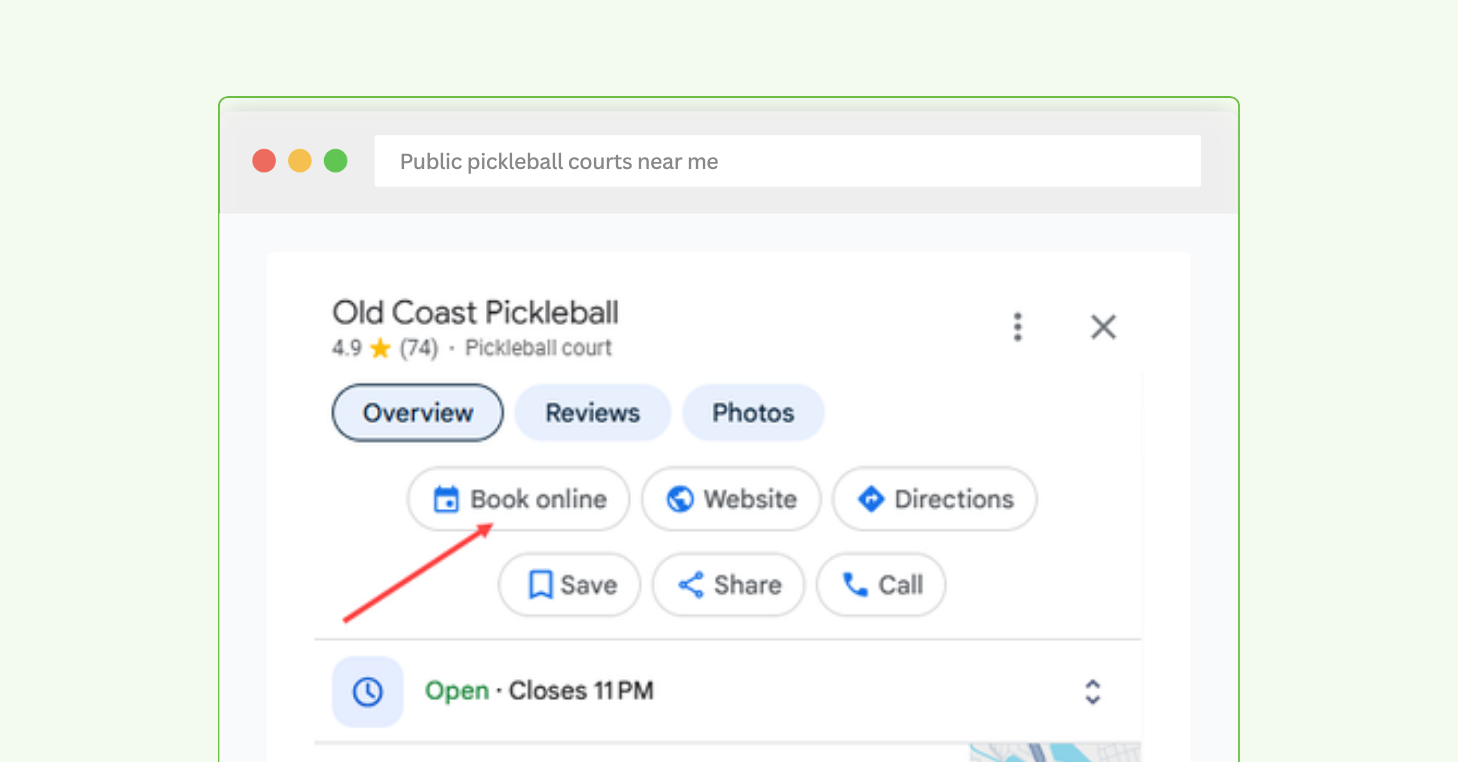
CourtReserve’s Reserve with Google integration gives players that direct path to reserve a court or register for events from Google Search or Maps. When enabled, a “Book online” button appears right on your Google Business Profile, taking players straight into your Public Booking flow instead of leaving them to find it themselves. That’s existing search demand, turned into paying players on your courts.
Learn how to enable Reserve with Google here.
How it works
- “Book online” button appears on your Google Business Profile, pulling live availability from CourtReserve Public Booking
- Mobile players also see a Services tab with reservation types, events, and pricing
- Bookings happen in your existing Public Booking flow, so upfront payment, waivers, and pricing stay unchanged
- Every booking is captured as a lead, so you can follow up and move first-time bookers toward membership
Public Booking improvements: More control over every booking
Public Booking has grown fast since launch, and last quarter it got stronger on three fronts.
Public Booking available worldwide. Clubs anywhere can open reservations and event registration to the public, with international players verifying their booking through a one-time email code instead of a text message.
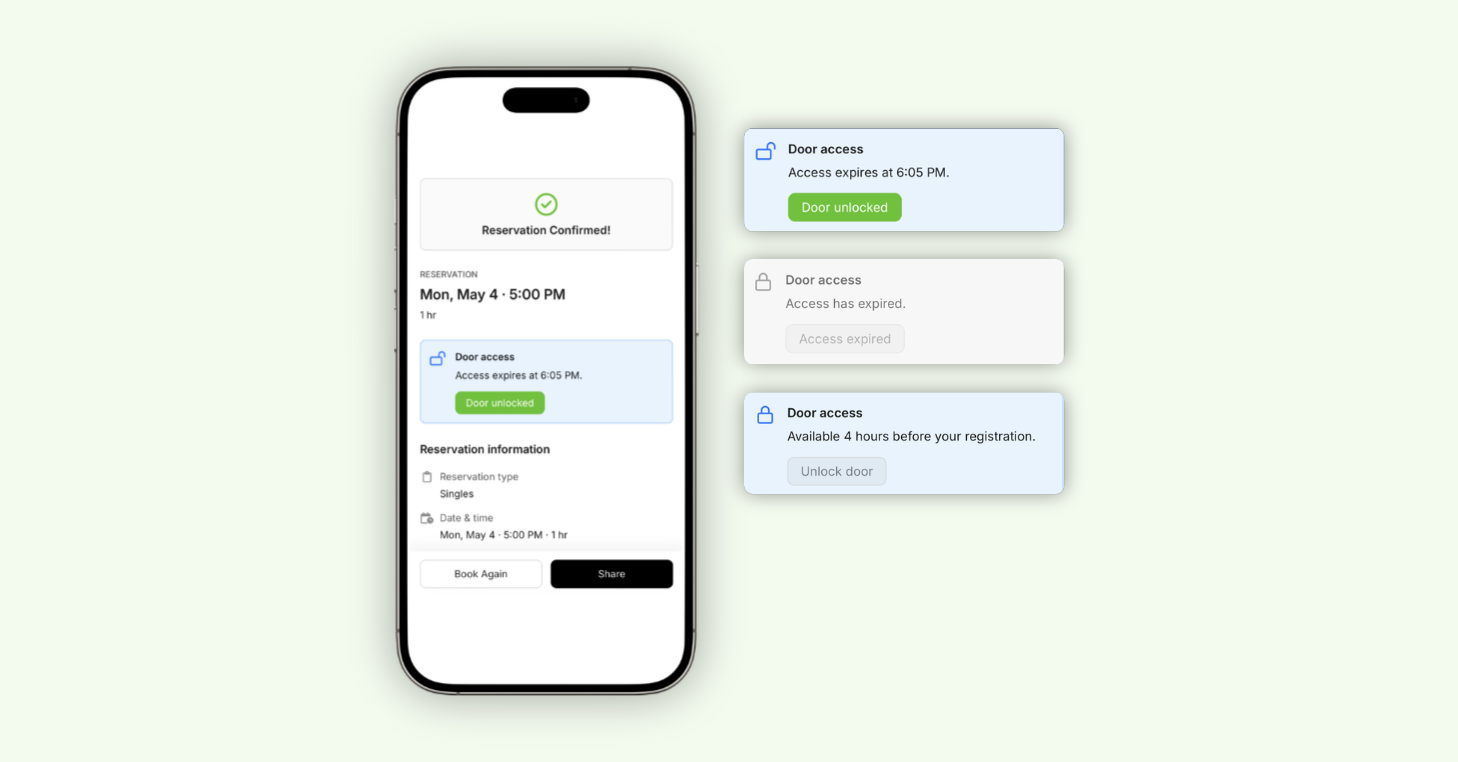
Access Control built into Public Booking. Guests can now unlock your facility’s door straight from their Public Booking confirmation page, no PIN code involved. It gives clubs using Brivo and RemoteLock integrations a secure way to open Public Booking to guests, without staff oversight.
Prime Time protections now extend to Public Booking. The duration limits and reservation-type rules you set for peak hours are enforced automatically for Public Booking, allowing you to control how your courts get used when demand runs highest.
Learn more about Public Booking here.
How it works
Access Control
- A door access card appears on the guest’s confirmation page, prompting them to tap to enter, no PIN or front desk needed
- The “Unlock door” button works only during the access window set in your Access Control rules
- If a waiver is required, the door access card stays locked until the guest signs
Prime Time
- Public Booking detects when a selected time falls in a Prime Time window and flags it for the player
- Min and max duration limits per reservation type are enforced during those windows
- Any reservation type you’ve made unavailable during Prime Time is blocked, prompting the player to choose another
Email Campaigns: Bulk Email, rebuilt inside CourtReserve
Email Campaigns replaces the old Bulk Email flow with a full email experience built into CourtReserve, running on the same member data that already powers your club.
This feature now gives you everything you need to plan, design, and measure a real email marketing strategy, without adding another tool to your stack. And you’ll find it right where Bulk Email always lived, under Members > Bulk Email.
How it works
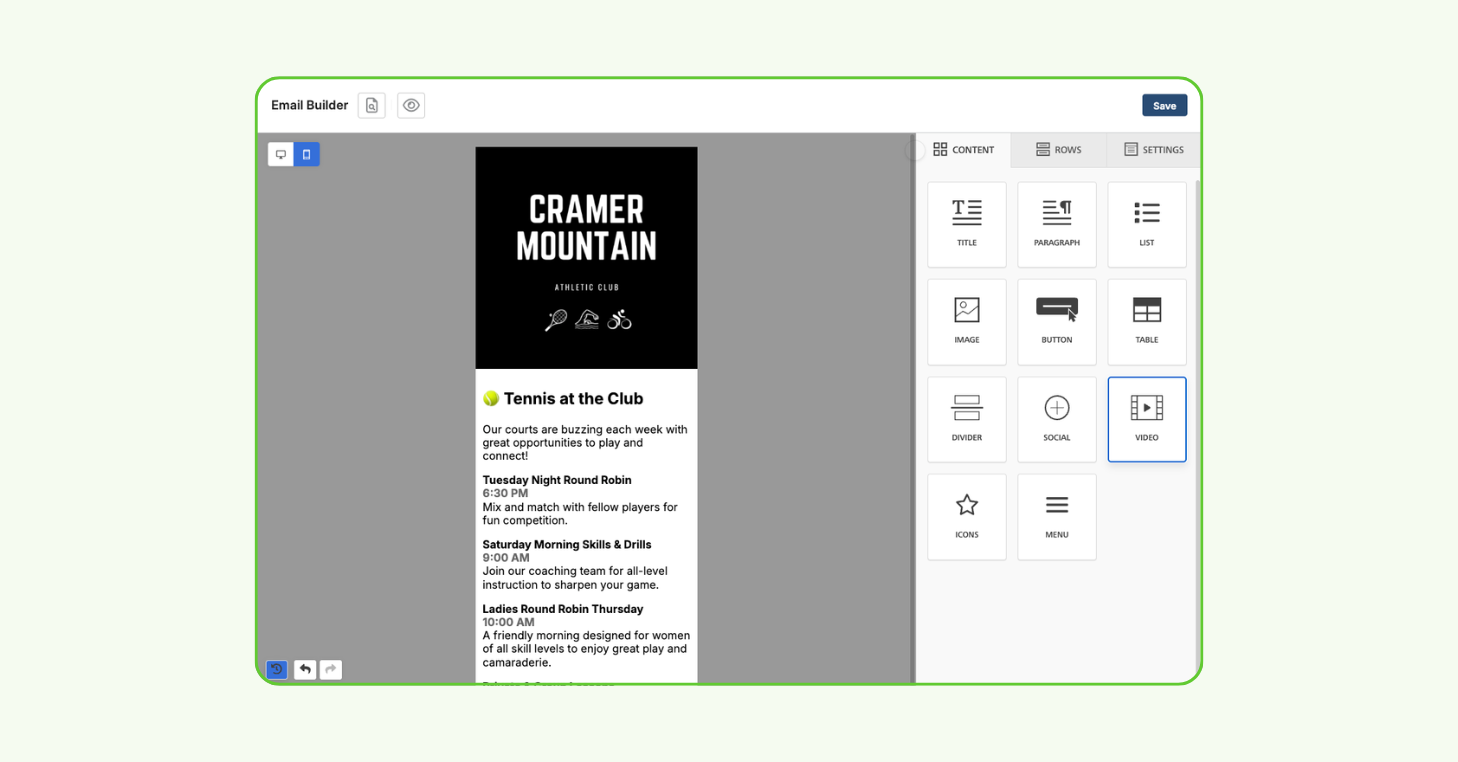
- Choose between the drag-and-drop Email Builder for branded, visual emails or the Basic Editor for quick text-based sends
- Save any email as a reusable template, or duplicate a past send instead of rebuilding it
- Target the right audience with filters for membership type, group, status, and ratings
- Save drafts automatically, send a test email to staff for review, and schedule sends for later
- Track open rates, click rates, and delivery status for every campaign inside CourtReserve
Build branded, professional emails with CourtReserve’s drag-and-drop Email Builder.
Guest Pass Packages: Collect guest revenue upfront
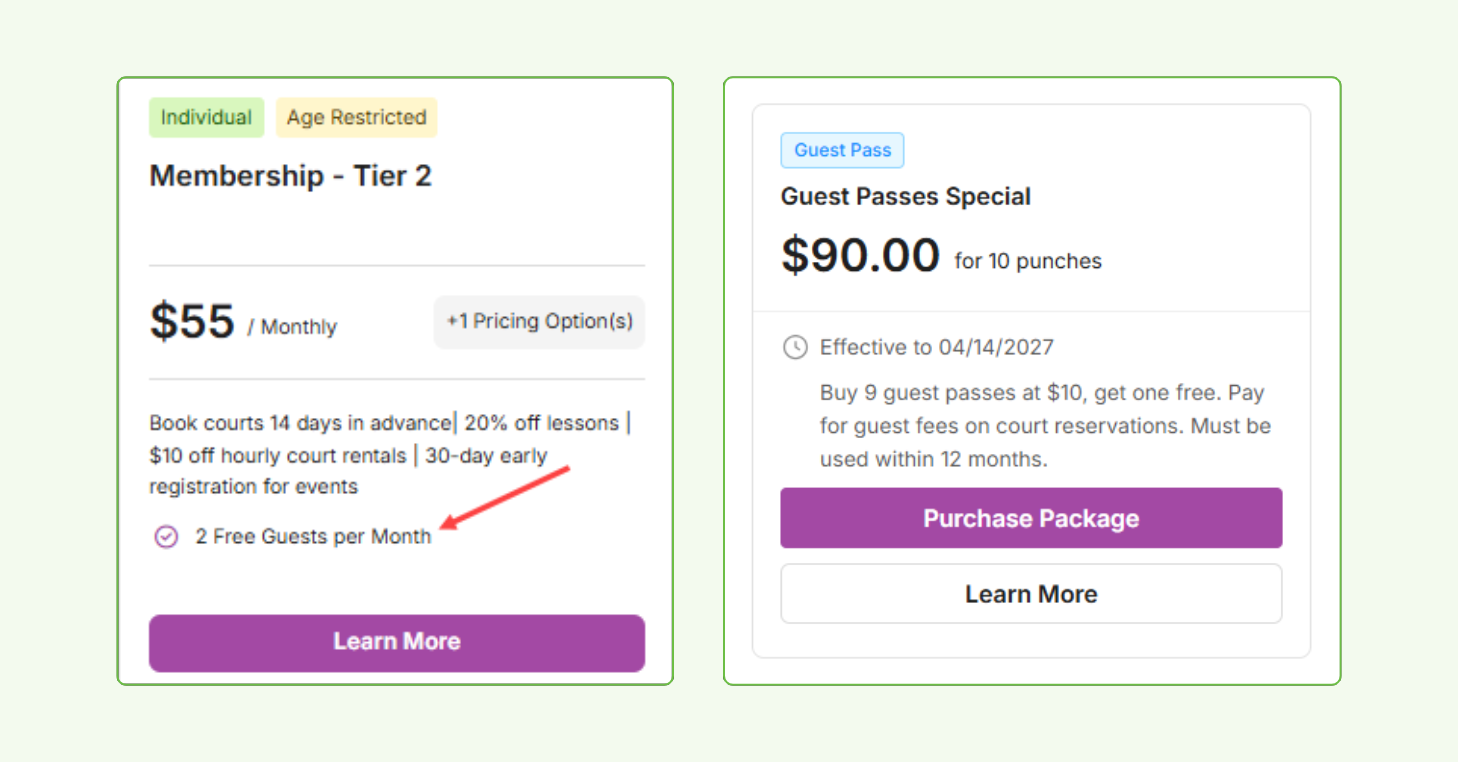
Guest Pass Packages let your club sell or provide guest visits upfront, as a bundle of prepaid punches. Each time a member brings a guest to a court, event, or lesson, they spend one punch to cover the guest fee at checkout. Because it’s built into the Packages tool you already use, guest access becomes something you sell once, instead of a fee you chase every visit.
You control how members get them: sell them in the portal, ring them up at the front desk, or auto-assign them each month as a membership perk. However they’re distributed, every punch is logged, so guest revenue and visit history land in your reporting on their own.
How it works
- A guest pass package punch is applied at checkout per guest added, covering the guest fee on a reservation, event, or lesson
- If enabled, auto-assigned packages drop into eligible members’ accounts each month at no cost, ideal for premium tiers that include guest visits
- Families can share one pool of punches when you enable it
- Members can view their remaining punches and usage history anytime in the portal or app
- Balances, usage, and guest revenue track automatically in the Packages Report and Transaction List
SMS Waiver Signing: Stop chasing signatures at the front desk
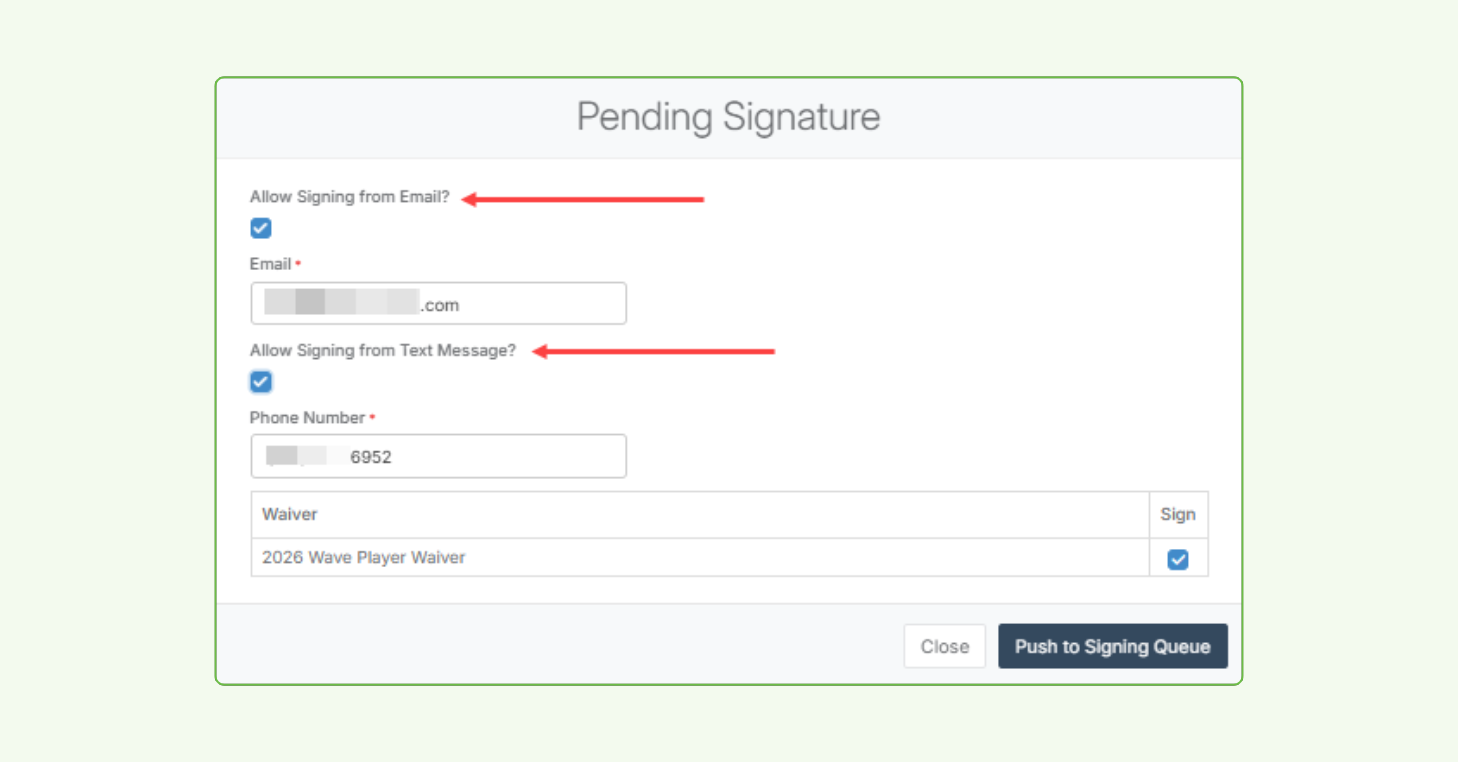
Not every player checks email before they arrive, and an unsigned waiver can stall your front desk at the worst moment. Now staff can send the signing link by text instead, and players sign on their phones in seconds.
Text and email work side by side, so staff reach each player the way that gets the quickest response. Signatures come in faster, the line keeps moving, and every required waiver is captured before anyone plays.
How it works
- When a player is missing a waiver at check-in, staff open the signing options and send a link by text, email, or both
- The player taps the link and signs on their own device, no app or account needed
- If a phone number or email isn’t on file, staff can add it right on the same screen before sending
- Text delivery status is visible in the player’s Message History, so staff can confirm it landed
Additional CourtReserve product enhancements
Here’s more of what shipped between April and July at CourtReserve, giving your racquet sports club more control over reporting, communication, packages, and day-to-day operations.
- Guests on lessons — Add guests to group and private lessons right in the booking flow, with pricing and visibility you control per lesson type.
- Filter report output to target players — Filter the output of the Members and Registrant Detail Reports by any column, then email, text, or push just the players in your filtered results.
- One-time package assignment — Auto-assign a package a single time when a membership is purchased, ideal for welcome bundles and sign-up perks that shouldn’t renew monthly.
- Notify button on reservations — Reach any player directly from a reservation on the Scheduler by email, text, or push, the same way you already can from events.
- My Waivers in the app and portal — Members can now view and download their signed waivers anytime from the mobile app or member portal.
- Public Booking landing page — Your branded portal link now opens to a landing page where players can find all booking options, instead of dropping them straight into the grid.
- Kiosk check-in filter — Check-In reports now include a Checked-In (Kiosk) filter, so self-service check-ins show up in your filtered results.
- Date filters on member reservation tabs — The Canceled and Upcoming tabs on a member’s profile now include date filters, so you can pull up any range instead of scrolling.
- Expanded audit logs — Audit logs now cover every report, plus member payment profile activity and a rebuilt Member Audit Log with date filters.
That’s a wrap on Q2
Every feature and update this quarter comes back to the same goal: making each step of your racquet club’s day, from a player’s first search to their check-in, work a little better than it did before.
To dig deeper into these updates, explore the full release notes, or visit the CourtReserve Help Center for an in-depth view of everything that shipped this quarter.
And keep an eye out, there’s plenty more on the way.