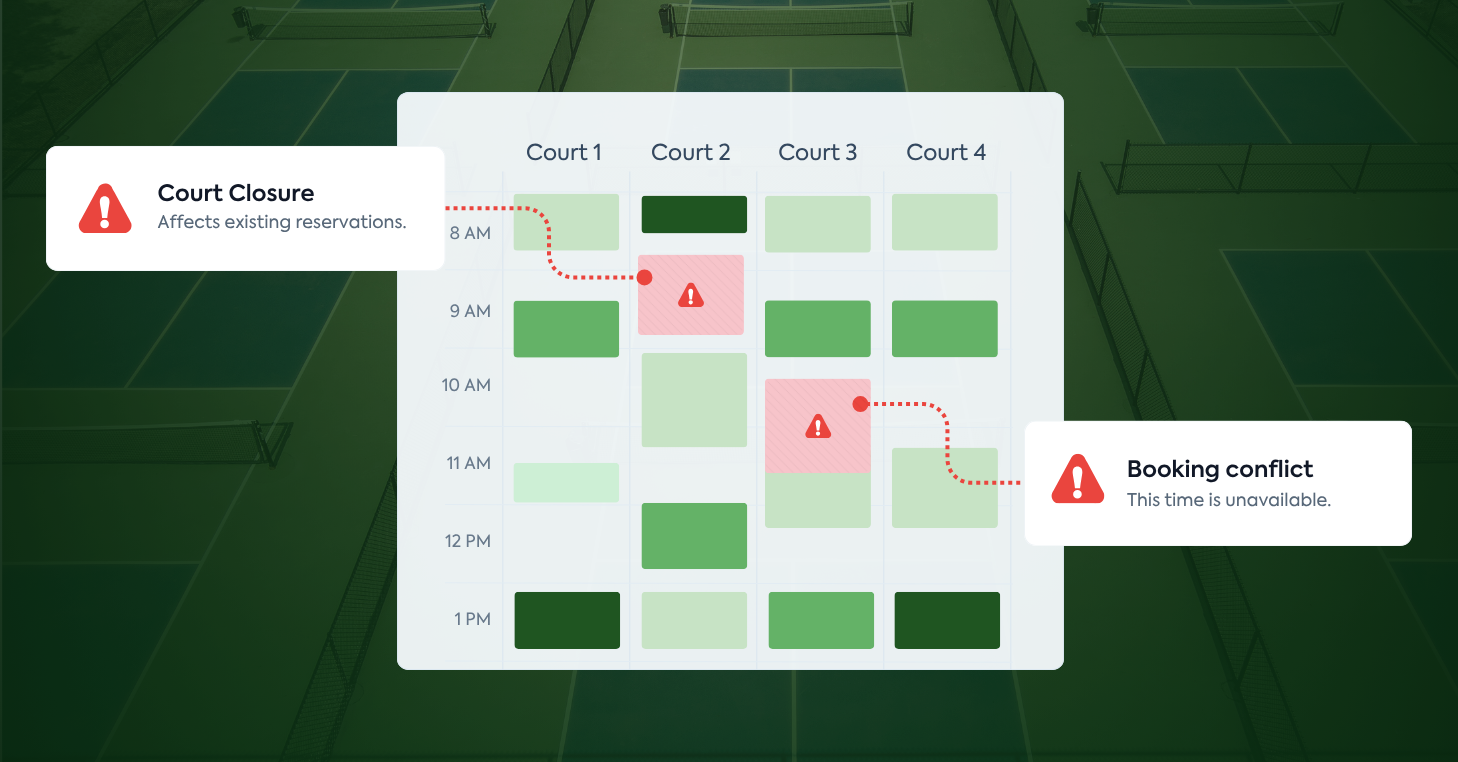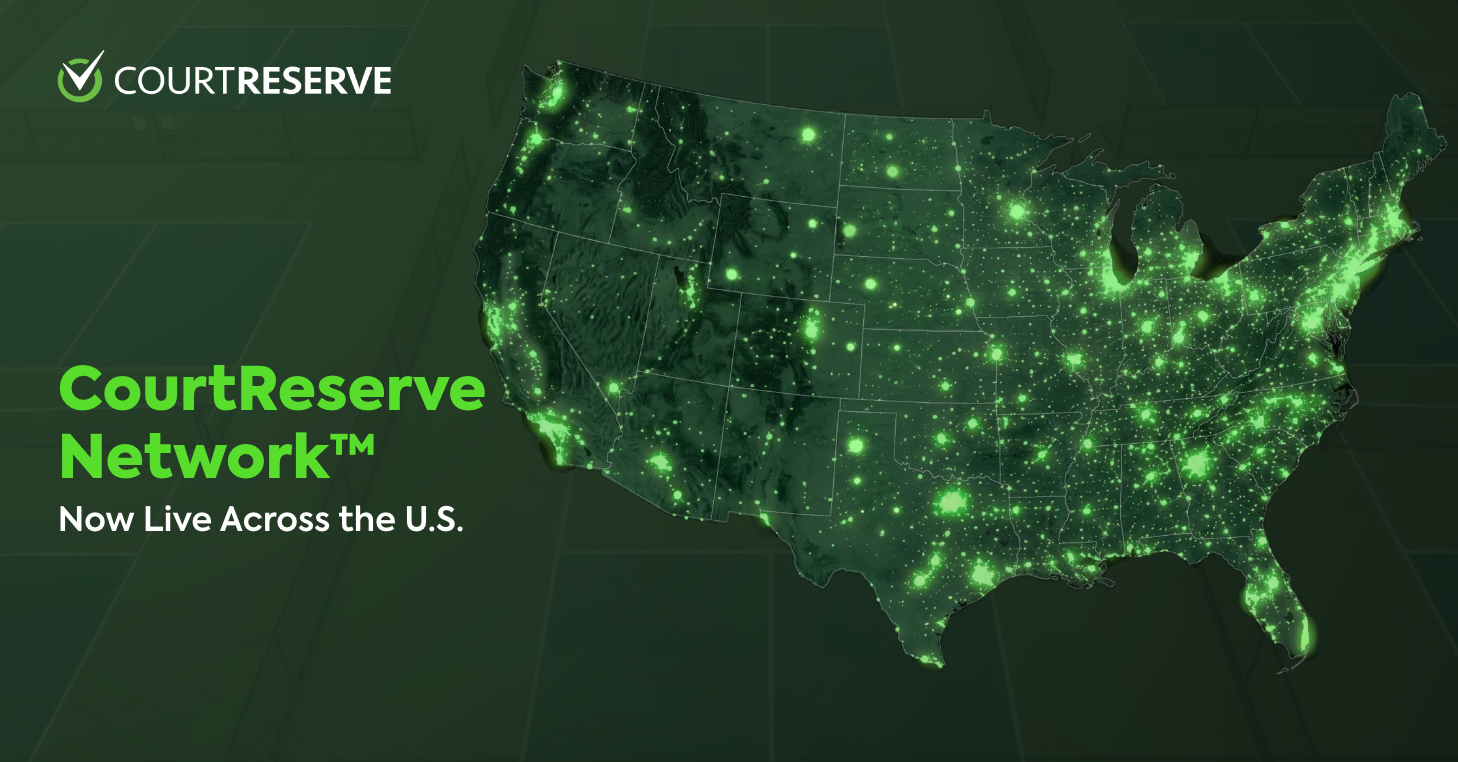
Help more players discover your club, book your courts and programs, and become members through CourtReserve Network — now live for qualifying clubs across the U.S.
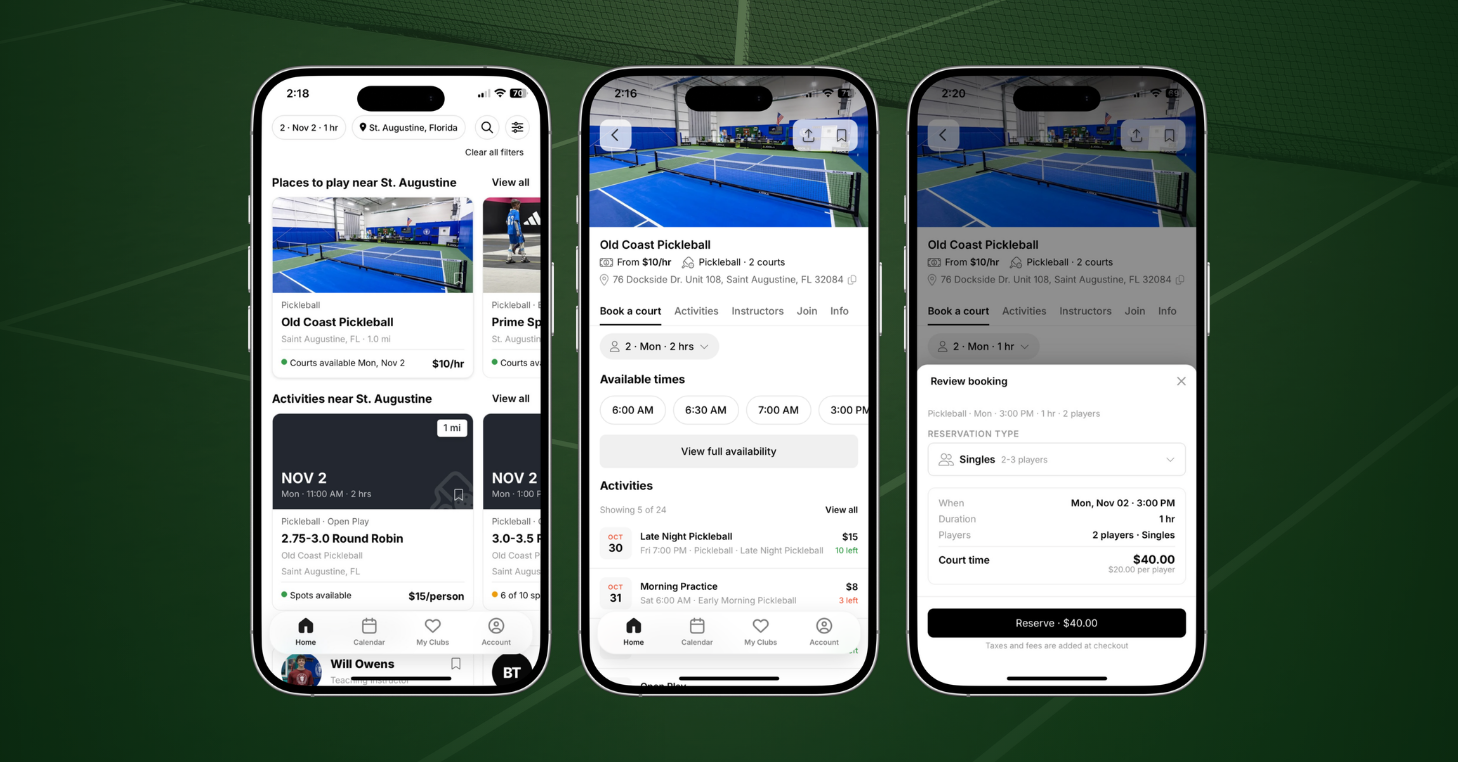
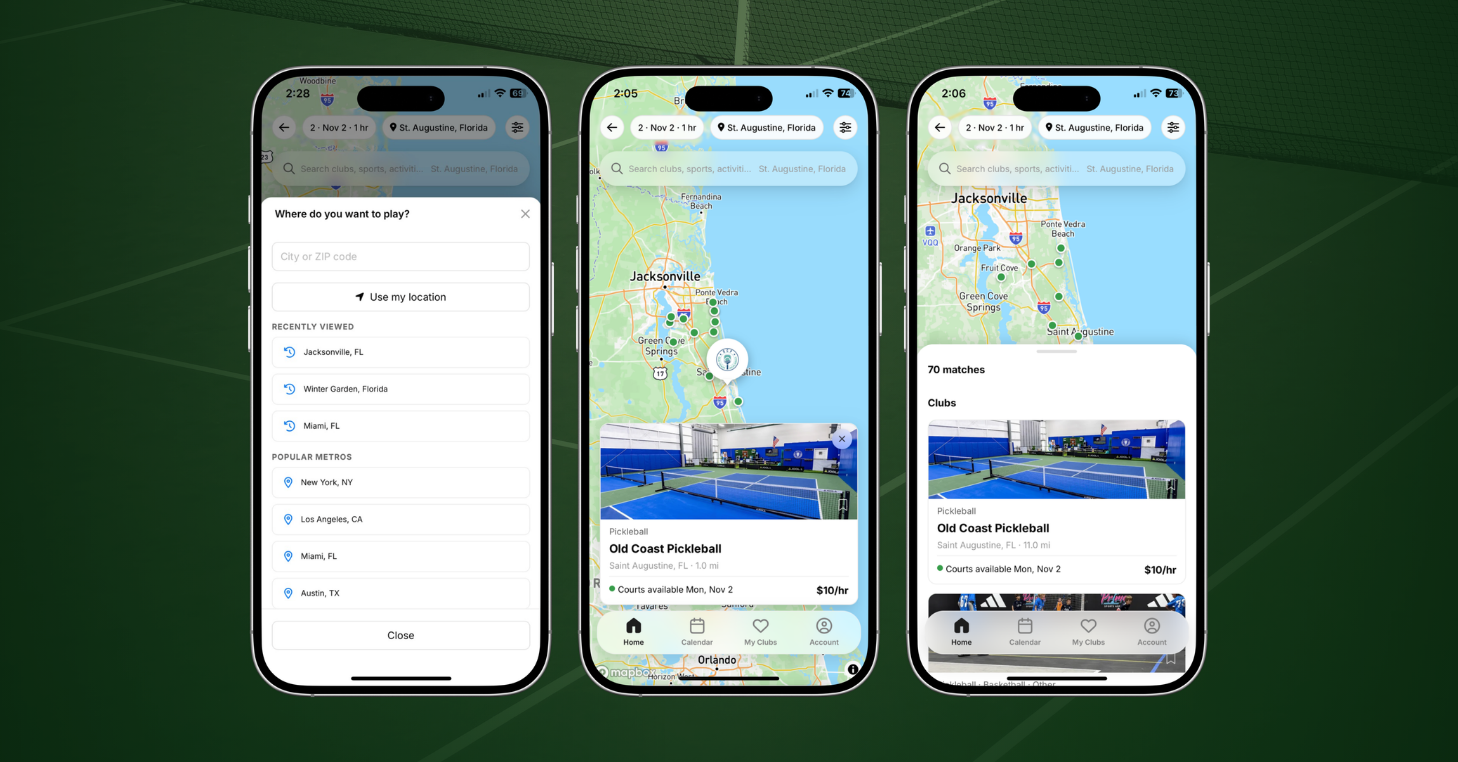
On CourtReserve Network, players can search for clubs, courts, activities, and pros across tennis, pickleball, padel, and more, all in one place. When they find a game nearby, players can book it on the spot, without creating an account.
For your club, that opens up a new way to reach players who don’t know your club’s name yet. Think of how people find a restaurant: they search for what they want, see what’s available nearby, and choose where to go. Now players can discover your club the same way.
And because the Network is built into CourtReserve, your club doesn’t need a separate system to manage those bookings. Listings are created automatically for qualifying clubs using information already in your account, with existing pricing, availability, and booking rules carrying through.
Cost and eligibility: CourtReserve Network is included for qualifying clubs at no extra cost. It is not a paid add-on. Clubs that allow players to create accounts online are eligible for automatic listing, with visibility on by default.
Public Booking turns on for the reservations, lessons, and events each club qualifies for, and Reserve with Google activates where a matching Google Business Profile exists. You can review or turn off these settings anytime, and your members keep booking with your club the same way they do today.
What is the CourtReserve Network?
CourtReserve Network is a discovery and booking experience in the CourtReserve mobile app and on CourtReserve’s website at courtreserve.com/players, bringing participating racquet and paddle sports clubs, courts, activities, and instructors into one searchable place. Players can explore nearby options, compare pricing and availability, and book as guests. See what CourtReserve Network looks like for players.
For your club, CourtReserve Network is a new way to reach players outside your membership using the courts, programs, and instructors you already have.
- Show players what makes your club different. Add your own description, photos, and amenities. Court and activity details stay current using information from CourtReserve.
- Let players book when they’re ready. Public Booking lets guests reserve eligible courts, lessons, and events right from your listing.
- Put your pros front and center. Give participating instructors their own profiles with photos, bios, certifications, and available lesson times.
- Reach players beyond the app. Your club, pros, and programs get public pages that can show up in Google search. Reserve with Google also lets players book from a matching Google Business Profile.
- Stay in control. Your existing pricing and booking rules still apply. Choose what guests can book, adjust your settings, or turn off Network visibility anytime.
From first search to membership, all in CourtReserve
Think of CourtReserve Network as your club’s digital front door, opening straight into the system that runs your bookings, payments, memberships, and more.
A player finds an available court, clinic, or lesson, books and pays at your prices, and the reservation lands in CourtReserve’s scheduler. If that player comes back and joins, their membership is then managed in the same system.
The entire player journey, from first discovery to an ongoing member relationship, stays connected to your club’s operations. There’s no separate booking platform for your staff to manage, and you keep a direct relationship with the players you attract.
Not on CourtReserve yet? See how CourtReserve Network works for your club.
How CourtReserve Network helps your racquet and paddle club grow
Tennis, pickleball, and padel clubs on CourtReserve Network get new ways to attract players, fill clinics and lessons, and turn first-time guests into members. Early results from the seven-week beta already show it working across clubs in Florida and Utah.
Attract new players who don’t know your name yet
Nearby players looking for somewhere to play can now find your club on CourtReserve Network. More than 6 million players already use the CourtReserve app, and now they can discover clubs beyond the ones they already know.
A player looking for a tennis court tonight or a clinic this weekend may be five minutes from your club without knowing it exists. Someone new to the area, a snowbird in town for the winter, or a tennis player ready to try padel can now find you by searching for what they are interested in.
During the CourtReserve Network beta, 73% of bookings came from players who weren’t members of the club they booked at, and more than one in three came from players with no CourtReserve account anywhere. For your club, that’s a chance to reach beyond your membership and turn interest from nearby players into reservations.
“At Old Coast Pickleball, CourtReserve Network has changed the way we look at new players, because now it’s doing the marketing for me. I don’t have to spend ad money, because now my players can easily find me.”— Ashley Owens, Co-Founder of CourtReserve and Co-Owner of Old Coast Pickleball
Fill clinics, open play, and lessons
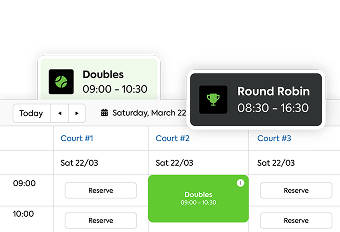
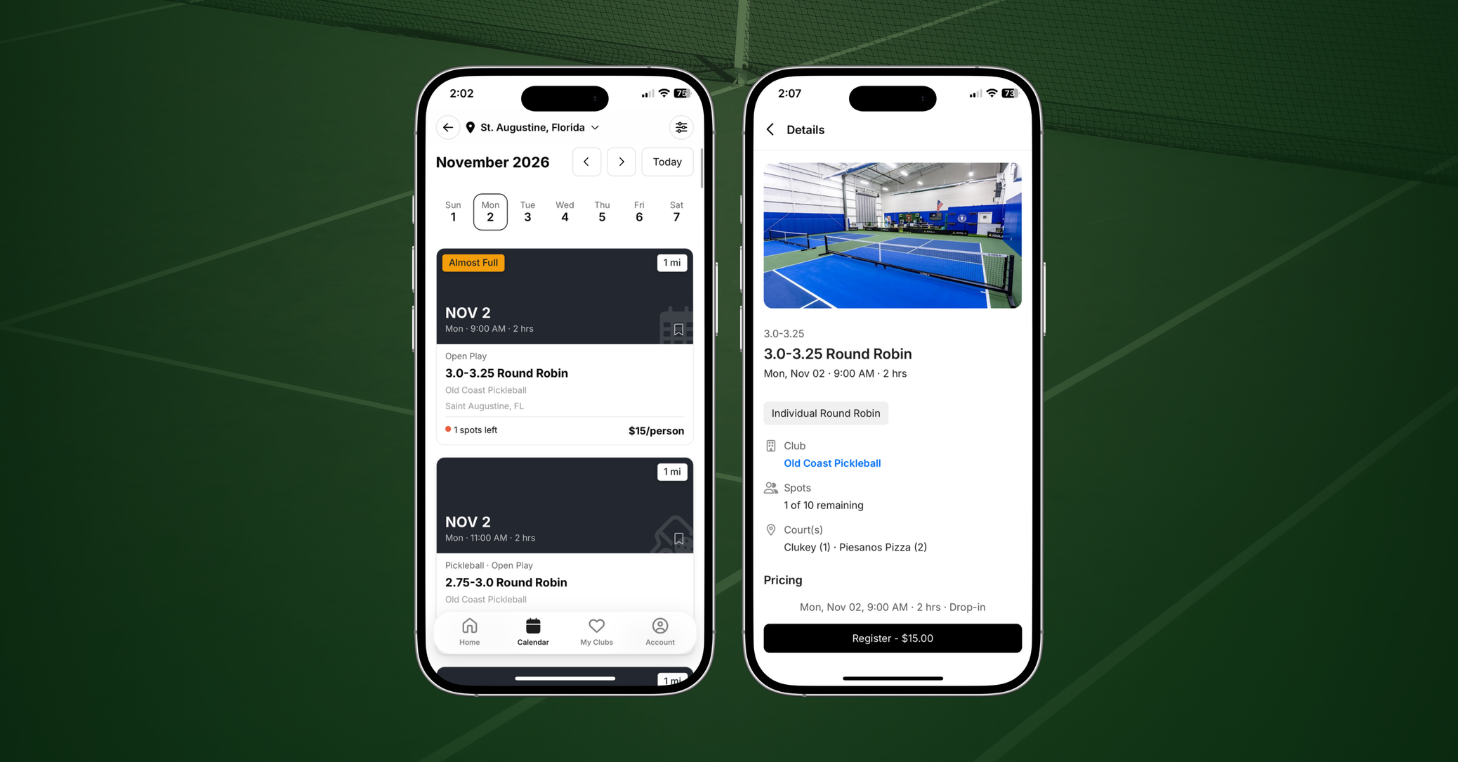
CourtReserve Network gives your club another way to fill open spots in clinics, open play sessions, events, and lessons. Players can see what’s available, check prices and remaining spots, and book while there’s still room.
Programs are what players booked most during the CourtReserve Network beta. Three in four Network bookings were activities like clinics, open play, and lessons rather than court reservations. That’s more chances to fill the spots already on your calendar and bring in revenue without adding new sessions.
Your pros can benefit, too. Their Network profiles help new players find them, and at clubs using Book a Pro, players can book a lesson directly from a pro’s page, giving your instructors another way to fill openings in their schedules.
Turn first-time guests into members
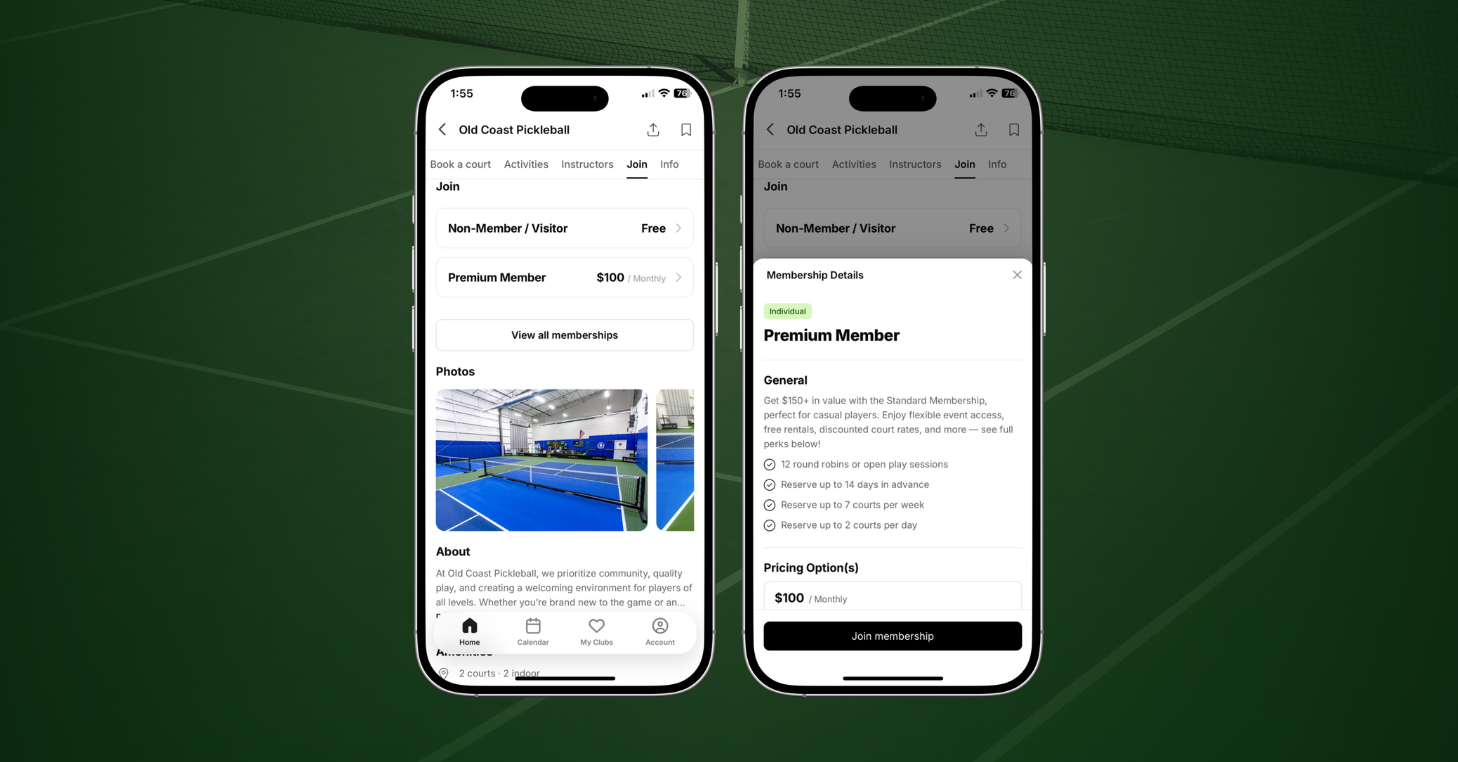
For first-time guests, CourtReserve Network creates a direct path to membership. When they’re ready to commit, players can join right from your club page, choosing from the memberships you offer online.
And some are already taking that next step. In the CourtReserve Network beta, 21% of first-time guests joined a club, and 54% of those new members came back and booked again.
Players are already finding, booking, and joining clubs through CourtReserve Network. When they find yours, make sure your listing gives them every reason to book, and your club gives them every reason to stay.
Get your club ready for CourtReserve Network
Qualifying clubs are already listed on CourtReserve Network, and most can review their listing in about 10 minutes. A complete listing helps new players choose your club and makes your pages eligible to appear in Google search. Start with these four steps:
- Check your visibility and address. Confirm online account creation and Network visibility are enabled, and verify your street address for each location.
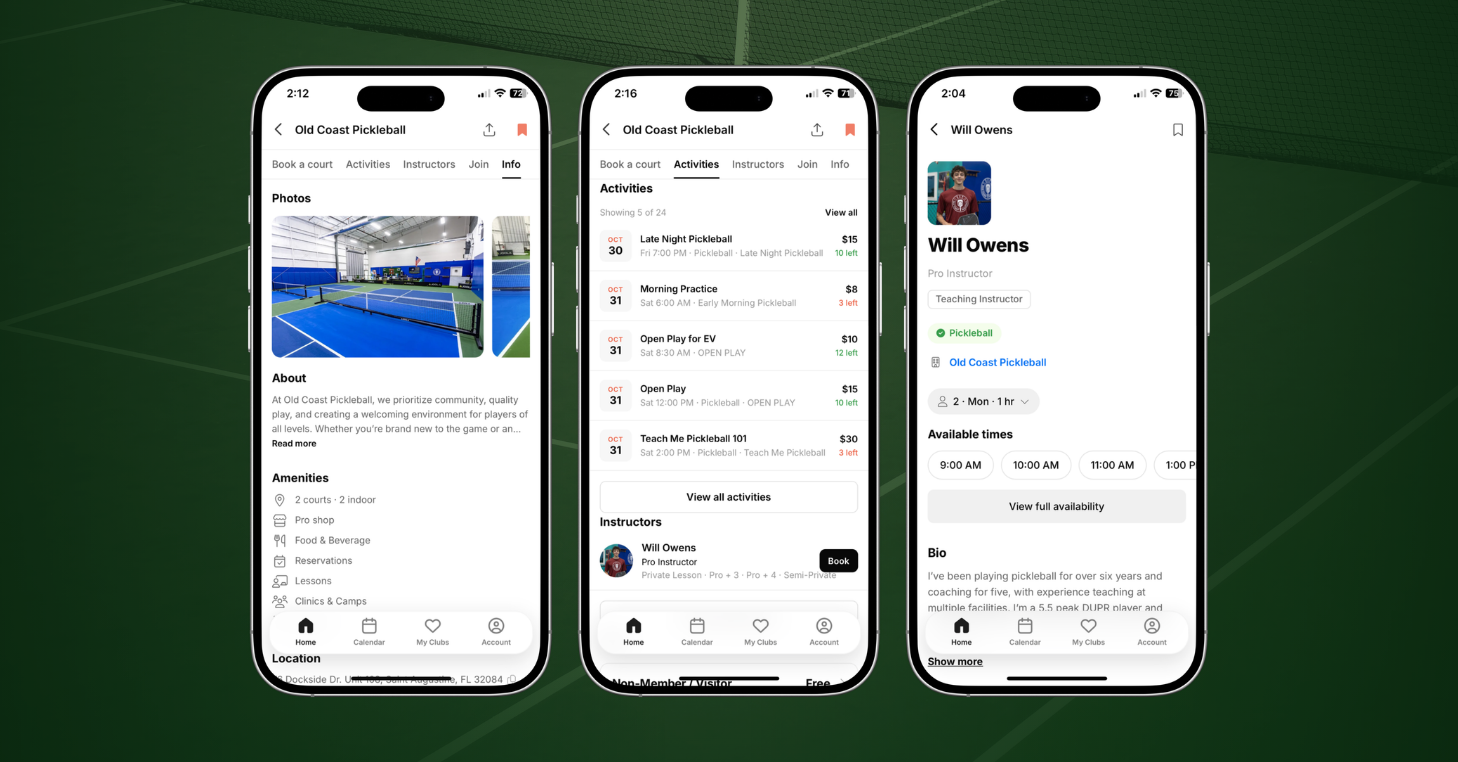
- Make your listing stand out. Add your own photos, write an About section of at least 80 characters, and review your sports, courts, and amenities.
- Feature your pros. Add photos, bios, certifications, and sports. Review pro visibility and Book a Pro settings if you offer online lessons.
- Review booking and memberships. Check which reservations, lessons, and events guests can book through Public Booking, and make at least one membership available for online sign-up.
You can manage your listing in Settings > Organization Settings > CourtReserve Network and Public Booking in Settings > Portal Settings > Public Bookings.
For detailed instructions, see How to Make Your Club Stand Out on the CourtReserve Network.
Bring your club to CourtReserve Network
CourtReserve Network is now live across the U.S., and players are already using it to find their next game. When players nearby search the Network for a court, clinic, or lesson, they’ll find participating CourtReserve clubs. From that first booking on, the relationship is yours to build.
Interested in reaching more players? Schedule a call with our team to see how CourtReserve Network connects your courts, programs, and community with players nearby.
Frequently asked questions about CourtReserve Network
Does CourtReserve Network cost extra?
No. CourtReserve Network is included for qualifying CourtReserve clubs, and being listed adds nothing to your subscription. Your existing booking, payment processing, and subscription terms still apply, and players who book through the Network pay your club’s regular prices.
Which clubs qualify for CourtReserve Network?
CourtReserve clubs qualify for CourtReserve Network when they let players create their own accounts online and keep “Show on CourtReserve Network” turned on, which is the default. Qualifying clubs are listed automatically, with no separate activation. Multi-location organizations manage the setting for each location, and clubs with their own Branded Mobile App aren’t affected.
Does CourtReserve Network work for private or member-only clubs?
Yes, and you decide how much is public. Clubs that keep online account creation turned off aren’t listed on CourtReserve Network. Listed clubs can keep event categories for members only, limit Public Booking to what they choose, or turn off their listing anytime.
Can clubs that don’t use CourtReserve join the Network?
No. CourtReserve Network lists clubs that run on CourtReserve, which is what lets every booking land directly in the club’s own system at its own prices. If you’re not on CourtReserve yet, schedule a call to see how it works for your club.
Is CourtReserve Network only for pickleball?
No. CourtReserve Network covers tennis, pickleball, padel, and other racquet and paddle sports. Players can search by sport, so a tennis player looking for a lesson, a pickleball player looking for open play, and a first-timer curious about padel can each find the clubs and programs that fit.
Where is CourtReserve Network available?
As of November 2, 2026, CourtReserve Network is live wherever CourtReserve is available, following a beta in Florida and Utah. It’s in the CourtReserve mobile app on iOS and Android, where logged-out players see it as soon as they open the app, and on the CourtReserve website at courtreserve.com/players.
Do players need a CourtReserve account to book?
No. CourtReserve Network lets players book courts, lessons, and events as guests without creating an account. They confirm their booking with a one-time code and pay by card. A few bookings still require a login, such as team events and event categories you keep for members, and your club controls which booking options are open to the public.
Will my members see other clubs on CourtReserve Network?
Yes. Your members can browse participating clubs on CourtReserve Network, the same as any other player. Their experience with your club doesn’t change: when they open the app, Home takes them to your club’s dashboard, and they book with you the way they do today. The same visibility puts your club in front of nearby players who haven’t found you yet.
Why is Public Booking turned on for my club?
CourtReserve turned on Public Booking with the national release of CourtReserve Network, so players who find your club on the Network or on Google can book you directly. It covers the reservations, lessons, and events your club qualifies for. Those bookings appear in your scheduler like any other, and you can change or switch off each area under Settings > Portal Settings > Public Bookings.
Does CourtReserve Network change my pricing or booking rules?
No. CourtReserve Network helps players discover your club, and every booking still follows your existing Public Booking setup, including your pricing, rules, and availability. You decide what new players can book and on what terms, and event categories you keep for members stay members-only.
How does CourtReserve Network help my club show up on Google?
Complete CourtReserve Network pages can show up in Google search, though rankings aren’t guaranteed. A complete page has a street address, a photo, an About section of 80 or more characters, and either Public Booking enabled or a membership sold online. Clubs with a matching Google Business Profile also have Reserve with Google enabled, so players can book you straight from Google under your Public Booking settings.
Why isn’t my club showing up on CourtReserve Network?
CourtReserve Network lists only clubs that let players create accounts online, so check that setting first, even if your listing toggle is on. Then check that your street address is saved in Organization Settings. Without it, the Network uses your billing address, which can place your club in the wrong location in search.
How do I remove my club from CourtReserve Network?
To remove your club from CourtReserve Network, go to Settings > Organization Settings > CourtReserve Network and switch off “Show on CourtReserve Network.” You can turn it back on anytime. If something specific is worrying you, such as which programs are open to the public, talk with your CourtReserve contact first, since many concerns can be handled in your settings.
CourtReserve Network is a trademark of CourtReserve. The service is available at participating CourtReserve clubs across the U.S. Availability and features may vary by location and club. Learn more at courtreserve.com.