The right tech stack transforms daily operations at your racquet or paddle club into a growth engine by simplifying tasks, keeping data connected, and making it effortless for players to engage with your club.
In this blog, we’ll break down the essential features that form the backbone of every successful racquet and paddle club tech stack (the collection of software and tools your club depends on to run day-to-day) — and show how they set you up for long-term growth.
Here’s what you need to know.
While every club is unique, the most successful ones share a common toolkit. These are the management tools you can’t afford to overlook.
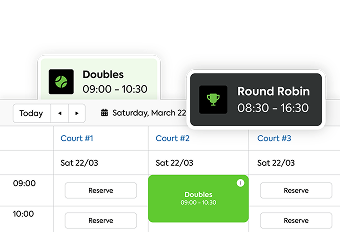
Lesson scheduling software helps you get the most out of your instructional programs — making the most of instructor time, filling open spots, and making sure players always know what’s available.
It centralizes scheduling, attendance, and instructor assignments, allowing your team to focus on coaching rather than managing calendars.
Events are where your club’s community comes to life — whether it’s a casual social, a competitive tournament, or a week-long camp.
And with everything in one place, you keep payments on track, data reliable, and admin work minimal — leading to predictable revenue and smoother operations.
Leagues and ladders keep players invested in your club — but they can also drain time and resources if managed manually.
With the right system, you can automate scheduling, track standings instantly, and give players easy access to all their match information — turning competitive play into a retention powerhouse.
Video Transcript
0:01
Hello everyone and happy summer. I can’t believe it’s already almost June. My name is Ashley. I’m with Court Reserve.
0:08
We are so excited about this webinar. Mark, I am so excited because our
0:13
relationship with Swiss just keeps getting better and better and better. Welcome Mark from Swiss and Oswin from
0:19
CR uh on our webinar today. Uh Mark and Oswin, thanks for joining us. I’m going
0:24
to go over a few announcements while we have a couple more people jumping in the room and uh just really again excited
0:31
for this wish webinar today. One of the important things that we try and do at court reserve is support our clients
0:38
well and so we have extended our live chat support hours. Uh we are now live
0:43
chat support 5 to 8:00 pm Eastern Standard Time. that gives our West Coast
0:49
um support um and our clubs on the West Coast even greater um chance to live
0:54
chat with our team as well as weekends live chat support Saturdays and Sundays
0:59
now uh from 9:00 to 5. I’m really glad that we’re able to do that. We’ve hired some incredible folks um at Court
1:06
Reserve over the last six months um just to do West Coast and weekend hours. So, super great news um from that end. And
1:14
then I know Mark, your team is going to be at Mastermind as well as the court reserve team, uh, club pickle ball. If
1:20
you are a pickle ball club, uh, I highly recommend coming out to mastermind. We’re gonna be there. You guys are going
1:26
to be there. And it’s really just an amazing event to learn so much about the
1:31
pickle ball industry, how to run your club, how to set your clubs up, what’s the best practices, and then month after
1:38
month, Devin and his team, they do Zoom calls, and our team gets so much out of that just from an Old Coast uh pickle
1:45
ball standpoint. So, that is a great um organization and a great time to be together in Utah. Uh, but I’m really
1:52
actually even more excited that we are announcing today our two new Catalyst
1:57
tour stops. So, Court Reserve Catalyst is our user conference. Uh, our next two
2:02
stops are going to be uh in September out on the West Coast and then out on the East Coast. So, you can actually go
2:09
to courteserve.com and look up the Catalyst Tour. I’ll put that link in our chat box today. Uh so that if your team
2:15
is interested in supercharging your court reserve platform, doing more with court reserve because let’s be clear,
2:20
how many of us have an iPhone? I have an iPhone and I probably used 20% of it since I bought it and set it up. So come
2:27
to Catalyst. It’s one day. It’ll be well worth it. So hi Mark.
2:34
Hello Ashley. Thank you so much for having me. Thank you so much to the entire court reserve team as well. This
2:41
is uh this has been long in the waiting. Um and it’s just fun to kind of look back and see uh the whole timeline of of
2:48
just friendship and API partners and everything. And so it’s this is an exciting moment for the Swiss team. So
2:54
we appreciate you guys hosting this. Absolutely. Well, you know, we’ve been working on this for quite some time. We
2:59
always tell people it’s coming and now it’s here. Um, and so Mark, there’s probably some folks, not just pickle
3:06
ball, but tennis and all of our other clubs that may not even know what Swiss is. So, give us a little info.
3:13
Absolutely. So, Swiss is software for running your club programming and that
3:20
encompasses the entire spectrum of programming, whether it’s a large, you know, three 500 person tournament or
3:26
just a small 500 person tournament. So, tournaments, uh, leagues as well. leagues are really becoming one of the
3:33
most um popular and important parts of running a good club. So ladders and partner leagues, uh individual leagues,
3:40
and then even just small programming events like a round robin, you know, eight person duper mixer, come get a
3:47
duper rating on the pickle ball side and in paddle they call those Americanos, right? King of the court. So the entire
3:54
spectrum of club programming from small just infrequent round robins, king of
3:59
the court to ongoing multi-week leagues to tournaments um and everything in
4:05
between. So that’s what Swiss does. And and to be even a little bit more specific, we’re talking about the
4:12
scoring, the court assignments, the leaderboards, the stats, everything that might encompass that. So if you were to
4:18
go and join a a 20 person latter league at a club, be it for tennis, pickle ball, paddle, rack, whatever the sport,
4:26
you could take 20 names. Actually, you don’t have to do this. The the API, I won’t spoil it, but the API will do all this for you. And Swiss will put 20
4:34
names into different court assignments of the ladder. You record your scores in Swiss. It gives you the leaderboard. If
4:40
it’s a ladder, it shuffles people up and down depending on whether you win or lose. And that’s true whether this is a
4:46
tournament bracket, latter league, or anything in between. Well, I know at Old Coast Pickle Ball, we we did the old
4:53
Swiss way before the court reserve integration where you would have to put all the names and all the duper numbers and all that great jazz in there. And
5:00
now what we have done is made time-saving efforts for the club and the
5:05
administrators and the instructors because now everything can flow through court reserve and they can basically hit
5:10
a button. Um, and so I know Oswin, if you want to go ahead and start pulling up your screen. Um, Oswin’s actually
5:17
gonna kind of take us through what it looks like in court reserve. And then, um, this, of course, is going to be
5:23
recorded. We’re going to throw this up on the court reserve YouTube channel for you guys to watch later, as well as if
5:28
you have questions, I can’t imagine anyone would have questions, but if you do, put them in the Q&A because that
5:35
allows us to kind of answer your questions and we’ll do those as we go through. So, Oswin, let’s go.
5:41
All right, so we’re going to go over a couple of things regarding the Switch integration. First, it’s only available right now on our tiered pricing plans.
5:48
Um, if you’re on our tiered pricing plans for the start and grow, the Switch integration is about $25 as an add-on.
5:54
And if you have the scale and enterprise plan, it is included. The first thing you’re going to want to do is you’re
6:00
going to want to head over down to your settings page, down to your additional features. Click on that, and then
6:06
towards the bottom here, you’re going to see the Switch integration. Once you’ve clicked this box, you can hit setup or
6:11
you can head alternatively to the page uh down at the bottom here and see the Swish icon that’s now appeared. Um
6:18
either way will get you there. Once you’re in there and you’ve gone through the Swish setup process, you’ll have an
6:24
API key and you’ll have a location based on where you are geographically. Uh if you have any issues with the location
6:30
ID, you’re going to be able to email with the Swiss support staff and they’ll be able to get you all set up and fixed
6:36
there. That’s pretty much all you need to do on the court reserve side to get the switch integration set up. Once
6:42
done, you’re going to be able to head to any of your events. And as long as there’s one or more registrant on the
6:48
event, you’re going to see a new button when you’re looking at any individual date. Whether this is a full event
6:53
registration or a um dropin event registration, you’re going to be able to do this. So, we can see here I’ve
7:00
clicked on one and I have some registrants here and I have no registrance here. So, we’re going to go
7:06
to the May 28th one that actually has some registrance, and you’ll see a sync to switch button is now available. Uh,
7:12
previously, you won’t have that. If we have no registrance on it, you won’t see it. So, if you’ve done this once before
7:19
uh with a particular event date, you’re going to have an additional option here with action type and a Swiss game ID. If
7:26
you’ve never done it before, you’ll simply see no action type and game format only. Um, when you have the game
7:32
format only, you’ll have a drop- down list where you can select from various options that we sync from court reserve
7:37
over to Switch. Now, for short descriptions on each of these, you can still view these not on the court
7:44
reserve side, but on the Switch side, you can simply click create game on the Switch side, and you can see the
7:49
standard game or league game formats. And when you click on these, it’ll give you a brief description of those
7:55
particular items. So, we’re going to actually just sync a new one here so you can see what it
8:00
looks like. Uh, we’re going to sync a regular one and we’re going to sync a league one and then we’ll get into a little bit of what it looks like once it
8:06
syncs. So, we’re going to do a regular rotating partner round robin to start.
8:11
All we have to do is hit this button and a couple of seconds later it populates over here on the right hand
8:18
side rotating partner round robin and you can click into this. Now, from here
8:23
is pretty much all switches domain. Uh, but you can have people join uh via either the QR code, via text, you can
8:30
invite people um and is like as the owner, if I’m part of this particular league, I can click join game, select on
8:37
my name, and I’m good to go and I’m right in there. You can also add it to my
8:42
calendar. Um, so that’s what a regular one looks like. We head back or before
8:48
we head back actually, we can take a look. You can edit some options into the game like turning on the duper section
8:54
of it which a lot of folks will want to do. Uh it’s note everybody must have their accounts linked. They need to be
9:00
joined appropriately in order for it to actually sync to
9:05
duper. And let’s go ahead and show what syncing a league looks like. So you’ll
9:10
see something like this upcoming leagues. And it’ll break it down a little bit differently than the individual game date. And so I’m going
9:17
to go ahead and I’m going to delete this one. And I’m just going to reync the same exact one but as a league
9:27
instead. So if we do a league rotating partner round robin and we sync this
9:32
over, it’s going to populate over here and we can see the name is the exact same here. We click on the details and
9:40
then you’ll notice we have like a duplicate last game and a new event section here. Um from here you get all
9:45
of your players names listed. You’re going to be able to duplicate the last game and copy all of those sets and
9:53
continue out for each of your event dates and get all that set up in just a few minutes and keeping all of the names
9:58
that you have synced over, saving you lots of time.
10:05
And let’s see here. I think that’s about it that we
10:10
wanted to show here. Yeah. Now, Oswin, I I do want to mention that people can see both court reserve and the Swiss, but
10:17
you basically have this in two separate like you’re not going to see a Swiss on the court reserve page here. This is two
10:24
separate uh windows that you have put together specifically for our demo today. Correct. Yes. To clarify, this is
10:30
my cell phone. If I click back on the uh little button, you can see my little Facebook notifications. This is just me
10:36
casting it to the screen. So, we’ve got our our web page up. You’ll have your phone on hand. Um and you’ll be able to
10:42
go through that process. All right. Great. That’s great. So, currently in court reserve Oswin, uh folks can go in
10:48
and they can set up to have a partner. Can you talk just a little bit about that? How they have to do that currently
10:54
and then what’s coming? Yes. Okay. So, as far as setting up as a partner goes,
10:59
one of the ways that you want to do it in order to sync to Swish as well, um and even if you were not syncing to
11:04
Swiss, you have to build a custom field inside of Court Reserve. To do this, we can head into the actual event
11:12
itself. And if you’ve already set up a custom field, way down behind the general info, there’s going to be a
11:19
event registrance custom field in which you can select from any various custom fields that you may have created. Uh
11:25
mixed partner entry, gendered partner entry are good examples. Once we have saved something like this, and I’ll show
11:31
how to make one of those in just a moment, you can head over to the dates and look at the registrance tab. If you
11:38
require this, uh members will have to select and fill out a text box field
11:43
with their partner’s name on that. Uh now, you can technically register um a couple different ways. You can have both
11:49
people register where you have the other person list the partner. You can do a pending approval where once both people
11:56
have registered and they’ve listed each other, you can approve both of them or you can just say, “Hey, one person
12:01
register, list your partner. It’s on you guys to show up and make sure that your partner’s there or your team captain
12:06
essentially.” Um, and it’ll display in this particular custom field. You can click on it if you were to do admin side
12:13
registration and you can simply add the person. So, if I wanted to add my partner right in here, I could save
12:20
changes and we can hover over that person’s uh we just hover over it. We don’t have to click on it and we get
12:26
Kiwi Canerski there listed right in. Um, as far as uh actually before we go
12:31
there, how you make the custom field. So, under your setting sections, you’ll
12:36
have custom fields. As soon as you click on one of these, you’re going to have a few different categories. Now the thing
12:42
to remember is it’s the event registrant category and not an event field. Um so you want to make sure when you create
12:48
the category it says event registrant. Um that’ll enable you when people are signing up or registering to have that
12:54
additional box. You can force this to be required so somebody has to enter something. Um and you can show it on the
13:02
member side. You can keep it admin facing only. Either or. We recommend on the member side uh for at least partner
13:08
registration. So, you’ll have three field types. Uh, text box is all you need. Um, text area is a little
13:15
excessive, but you can technically do it. Um, if you wanted to have everybody list like an MLP format, you could list
13:22
four people out there with a text area, and it looks a little cleaner than a text box. Um, drop down’s not going to
13:28
work for that particular one. As far as what we have coming, um we’re going to go ahead and show a
13:35
brief look at uh at what it’ll look like here. Drum roll. When you go into the
13:41
Yep. Something everybody’s been waiting for and something that we’re we’re testing on. Uh it’s pretty close.
13:48
Drum roll on the loading is registering as a team. So, having this wonderful button in here to go in, you’re going to
13:54
be able to click. Um, let’s actually go ahead and and create a new event real quick so we can see briefly what that
14:01
looks like. Now, I’ve heard this is coming out in the July release. So, if all of you can just, you know, get real
14:06
excited, we got a countdown going on. So, so once we have the uh register team button turned on, we have the max teams
14:13
and the max registrance per team. So, you can adjust this uh accordingly. and
14:19
then how registration will work a little bit from there. The registration window is going to look a little bit different,
14:24
but uh we’ll go ahead and get something written real quick.
14:31
I’m not going to fill out as much as possible. The date would be important
14:38
though. All right, let’s see. So, now that we have something like
14:44
this, when we go to register, we’re registering teams now. So, we can go ahead and put
14:52
in Oswin and we’ll go ahead and do Kiwi here. And we can see my team player
14:58
maximum has been met. And so, this is just the admin side. Of course, it’s not the player side. Uh players will receive
15:04
a similar thing when they register. They can register as a team. And so, that goes through and
15:10
you’ll see we have teams here listed and team one. So, like we can continue to register team one, team two, team three,
15:16
etc. depending on our events um setup and how many teams we’re allowing and how many players per team. If we don’t
15:23
have somebody or if we need to change somebody real quick, let’s say I send a cancellation uh to one person here, I
15:29
can still add a partner in here right after that with a quick little UI button, choosing the next person and
15:35
registering them to that team. Now, again, that is not out yet, folks. That is not ready yet. You will not see that
15:42
in your core reserve account yet. So, that is coming in July. Um, but right now in order to do team base, you would
15:48
still need to do the custom field like Oswin showed us earlier. So that is fantastic. So thank you Oswin. Uh,
15:55
absolutely. So Mark, uh, anything we missed before we answer this multitude of questions?
16:02
Uh, great great question. Well, first I would just jump in and say that uh team-based registration is going to be
16:08
incredible and not only from the Swiss side of things, we offer a lot of team-based formats and so um when that
16:14
goes live in court reserve, you know, Swiss is going to be one of the big beneficiaries of that because that’s going to sync up really well. So, props
16:22
to your guys’ team. I believe you guys are really pioneering all of the software system and having team-based
16:28
registration. Very exciting. Um, and then actually I would just say to to
16:33
finish on Swiss’s side of things, it’s very simple. Um, we’ll answer a lot of questions, but I’ I’d just reference
16:39
people to our website, swishportsapp.com. Um, our pricing tiers are all all publicly displayed on our
16:46
website, our support line, so you can reach out if you have questions or if you want to get started or see the pricing, that’s all available on our
16:53
website as well. So, anyone can uh rewatch this video recording or go right
16:58
there for more info. All right. So, I think there’s a big question. What about duper? Mark, I feel like the ease of how
17:06
this is going to flow into duper. Talk a little bit about what that looks like right now. Yeah, absolutely. I saw some
17:12
questions on that as well. So, there there’s a lot of really cool um functionality in this court reserve and
17:18
switch API as it pertains to duper. So, I’ll probably hit three or four different questions and one answer here
17:24
that I saw. Um, so first first question, someone they had a good question. They said, “When I sync from court reserve to
17:30
swish, I don’t always see if it’s a duper or non-duper game in Swish.” Um, so the answer to that is it doesn’t
17:37
matter if you sync it as a duper or non-duper game because we just launched two or three weeks ago a feature where
17:44
in Swiss you can edit the game or the whole league from duper to non-duper
17:49
seamlessly. So don’t worry if you feel like you didn’t sync it right. You can just go right into Swish and turn a
17:54
non-duper game into a duper game or vice versa. Um so there’s great flexibility
18:00
there. The next thing is a lot of people uh on this webinar have probably typed
18:06
in sixdigit duper IDs a couple or maybe not a couple maybe a lot of times when
18:11
setting up duper rated games. That’s not always the easiest thing because it’s like wxq59 you know whatever it is. So, the
18:19
way this API works is um if players have their duper account linked to court
18:25
reserve, which is an integration I know that’s available. Um say you have a 16
18:30
person duper rated roundroin. 16 people sign up and pay on court reserve.
18:35
They’re their duper is all linked to their court reserve account. When you click that sync with swish that Owen was
18:41
showing, it will send over the names and the duper ids of those players, which is
18:47
really nice. So, you open up Swiss and you’ve got all 16 players entered and their duper IDs. Uh, that’s a huge
18:54
timesaver. If somebody didn’t have, for whatever reason, their court reserve uh, and duper linked up, it’ll highlight
19:01
them and switches orange saying, “Hey, spot check this one person.” And then you could go and fill in the gap right
19:07
in Swish, which is also nice. Um, so that’s great. And then the last uh piece
19:12
of functionality that I would uh mention is a lot of clubs who have used Swiss
19:18
are used to having their players scan a QR code to check in, if you will, when
19:23
joining an event. So if I walk into a club and I’m one of those 16 people playing in a roundroin, I’d scan the QR
19:30
code and I’d claim my spot and now I’m good to go. Well, now we can use duper
19:35
IDs as as a unique identifier. So, when your club manager hits sync with Swiss,
19:41
if you have your duper linked to court reserve and Swiss, it puts your profile right into the game. You don’t even need
19:46
to scan that QR code. You could walk into the club, open up Swish, and you’re already in the game ready to view your
19:53
court assignment and and go play. So, lots of exciting things on that end. Very good. Okay, so let’s just go
19:59
through here. I’m just going to read the question out loud and then we’ll figure out who’s going to answer it. How’s that? Um, let’s see. We would love to
20:05
have external sign on capabilities from court reserve. It would make our member experience much smoother. Um, I’ll add
20:12
it to the idea board right now. That’s awesome. All right. Is there a way for admins to operate Swiss from a
20:20
desktop? Great question. So, we just started releasing the first of many
20:25
desktop features on Swish. So, something that if you’re already a Swiss client, you probably saw last month, our club
20:32
portal. This is kind of what we’re calling our desktop um side of things. So, we just launched the club portal um
20:40
that has right now limited desktop features, but you can manage all of your club info. You can use all of our uh
20:47
team member and group functionality there. So, adding employees, adding groups, um you can manage your billing.
20:54
We also have on the desktop what we call our Swiss Academy, which is fun. That’s that’s our new database of over 40
21:00
tutorial videos. Um, there’s there’s a section for leagues, a section for roundrobins, there’s even a section for
21:07
comedy. So, if you want some pickle ball or racket sport comedy, we put that in our tutorial videos. I’m I’m actually
21:13
curious who’s clicked on that. But, anyhow, that’s that’s the initial desktop functionality. More will be
21:20
coming. So, I will not promise right now that it’s like a desktop version of all of the cord assignments and brackets.
21:26
Right now, it’s more of a limited kind of appetizer for desktop functionality. The other thing that I’d say too, and
21:33
this is just a g a big thanks as well to court reserve, is most of what you would want to do on a desktop at this point is
21:40
done directly in court reserve. Setting up an event, selecting your time, all of the logistics, pricing, details,
21:47
reports. Court Reserve nails that. And you would do that all from a desktop. Once you click sync to switch, it’s
21:54
almost better just to do it right from a mobile device. We always say no one brings their laptop to the pickle ball
22:00
court, but everyone brings their phone. So, it’s kind of nice. Um, with that sync with Swish, you don’t even need to
22:05
worry about typing in or setting up games from the mobile end because Court Reserve does it for you. Um, and it
22:12
syncs right to Swish. So, there’s there’s the long-winded answer. That’s great. There’s a couple questions that
22:17
look like there may be support questions about how when people are going to go do certain things and then, you know,
22:23
something’s not working the way they want. I would encourage you reach out to supportcortreserve.com. Tell us what
22:28
your issue is and then we can help you figure out if it’s a court reserve or what that functionality is and I’m sure
22:34
we can get in touch with Mark’s team as well to help you guys as well. Um, don’t want to go down the rabbit hole today of
22:39
fixing support issues. Um, let’s see. If payment is done by court reserve, can I still access Swiss on the website
22:46
application? Right now it has to have a Stripe account. I would have Lance probably reach out to your guys. Uh,
22:52
Mark, is that correct? Yep. Yeah, that’s great. All right, let’s see. Um, can you
22:58
show us in settings where this is? I’m assuming Jason that uh Oswin, if you
23:04
want to just quickly show uh I guess Yeah, I’ll pull back up. Yep. Make sure I can find my share
23:11
button. There it is. Okay. So, where it’s located in the
23:17
settings section for the switch integration is all the way down at the bottom here with additional features.
23:22
You have to turn it on initially. Once it’s turned on, it’ll appear in order. So, right here, it’s a little S symbol
23:29
with both the arrows. You can click on that and that’ll be your Switch integration setup with the API key and
23:35
location. Yep. But you do need to have a Switch account as well as a court reserve account. And there was a
23:41
question depending on pricing uh what um tiered bucket you are in in court
23:46
reserve depends on whether you pay the $25 a month for it at court reserve or whether it’s included. And if you’re on
23:51
court reserve legacy pricing, you do need to be on one of those new tiered plans in order to turn on Swiss. And
23:57
then Mark’s pricing page, I have put the link out in the everyone chat, uh,
24:02
swishportsapp.com. Their pricing is there. And then if you have more questions about pricing, then you can go directly to Swiss uh, for that as well.
24:09
All right, let’s keep going. If you have a Swiss account, do
24:15
you need to create a new one? I would say probably not. Correct, Mark? You do
24:20
not. We can just essentially give admin status if you want to sign up for your club. Yeah. So, it’s simple transition.
24:27
Okay. Uh Vicki said, “Is there a limit of how many events you can have going?” No, there’s not a limit of events. Uh
24:34
correct, Mark. That’s also correct on the Swiss side of things. Unlimited. Okay. Let’s see. How compatible is Swiss
24:42
and Court Reserve with gym classes like yoga, Pilates, bar, and the levels of
24:48
each? Uh well, I’m I’m not sure that that really is going to do the same
24:53
thing. I mean, court reserve, we’re going to handle all the registration for those fitness classes um with levels,
24:58
but as far as like competition, unless unless yoga and Pilates is now a competition. Mark, do you have anything
25:04
for that? Uh not that I’m familiar with, but maybe I should learn a little bit
25:09
more about that world. No, that think think of Swiss as anything where you would want any type
25:16
of recording a score or having matchups. You don’t even have to record scores. Sometimes people just like the, you
25:22
know, the the algorithm generator, they do it friendly mode. So, anything that has matchups, some sort of scoring, a
25:28
leaderboard or a skill level, that’s uh for any sport, that’s where where we
25:33
shine. All right. So, this is not just for pickle ball. Swish for tennis. Can it flow into something similar to duper?
25:40
So, do you have any ratings specifically within Swiss for tennis?
25:45
Yeah, great question. So, we have tennis ratings coming probably around fall. Um,
25:51
so that’s it’s already in the works. Uh, coming this summer will be um WPR,
25:57
formerly Red Paddle. So, for any of the the paddle clubs out there, that’s exciting. That one’s going to be done uh
26:03
pretty soon. And then tennis integrations will come as well. Um, and I guess this is probably a good time to
26:09
touch on a few other tennis uh features as well because we we do get a lot of
26:14
tennis um questions. Um, one of the features that we released beginning of
26:19
the year is team team leagues. And when I say team, this is different than just,
26:26
you know, doubles like doubles partners. A lot of tennis clubs uh love to do
26:32
teams where you have lines of doubles players. I know this is USADA does some
26:37
similar things, right? This is just very popular in tennis where you could have a a four doubles line team league and you
26:44
even play against other clubs. They’re really fun. You have rosters. So, you might have a a roster of 16, you know,
26:50
ladies in a in a doubles league. That’s one of the new features that we have on Switch. We call it our custom team
26:55
format. So, if you’re on the tennis side of things, I just want to highlight that for you right now. Um, these team
27:02
leagues are very popular. you know, pickle ball has started to kind of follow tennis with MLP and now some
27:07
other things, but tennis has nailed this for a while. Team leagues being very fun where you have your, you know, top
27:13
doubles line and second and third and you compete against other clubs or other teams within your club. Um, so anyways,
27:20
again, that’s reach out to our team for more details, but we want to make sure the other racket sports are aware of
27:25
features we’ve been releasing for those functions. Absolutely. Okay. Um, so we
27:32
had somebody ask, “Will the sync to switch button be added to the court reserve app?” And I just asked him and
27:38
he said, “Yes, that’s a great idea. We will get that added to the admin app.” So in court reserve on the app, that
27:44
that’ll be great. That’s great functionality. So great idea. Thank you. I can’t remember where that lives, but
27:49
it’s somewhere here. All right, let’s see. Um, let’s see.
27:57
Yes, you have to subscribe to Swiss um and court reserve for the for it to work. You also have to have duper turned
28:04
on in court reserve if you want the duper ids to flow through Swiss and then to flow through to duper. Correct, Mark?
28:11
That’s correct. Yes. Okay. Um let’s see. Does the $25 a month give you unlimited
28:17
integration with Swiss? If you’re paying the $25 in court reserve, yes. Or if you turn on the Swiss in court reserve, then
28:24
it’s giving you that unlimited integration with Swiss. Yes. All right, let’s
28:29
see. Uh, with the last quarterly update, Court Reserve announced a round robin
28:35
feature in development. Yep, we’re also working on that. Uh, but of course,
28:41
Swiss has round robins as well. That’s why we’re talking about this today. Um, do you have a player view yet? If not,
28:49
when? How can players sync their CR and Swiss? So players don’t have to do
28:54
anything. Correct, Mark? Yeah, that that’s correct. It’s the same as they’re doing it now. You just have two apps. Um
29:00
I love the put it on the idea of board of a single sign on type thing, but it it works it works seamlessly without. So
29:07
you just have your court reserve where you sign up for events and then you open up Swish when you get to the club,
29:13
right? Pull up Swish and it’ll have your court assignments. Easy enough. Uh let’s see. Uh this is uh we spoke to someone
29:20
at Swiss recently. They mentioned something about the pricing being linked to participation with Swiss tournaments.
29:26
Anything about that connection Mark you want to talk about? Sure. Yeah. And and to keep it brief on our pricing on our
29:33
website for which Ashley put the link in in the chat, you’ll see that on for example pro club pricing there’s a 125,
29:40
there’s an 85. So, if you’re wondering what what is the difference between two pro club pricing options, that’s where
29:46
swiss tournaments.com comes into play. And we actually have a video right underneath our pricing tier where you can click on it and see which, you know,
29:54
125 or 85 is the best fit for your club. So, I’d encourage you to go and watch that. But that’s why that’s a great
30:00
question if you see two different pro club options, uh, swishournaments.com comes into play. All right. So, if
30:08
here’s a great question. So, I’m in court reserve. I’ve already synced to Swish. I go into court reserve and I
30:14
change the event or I change some players around. Do I need to click sync to Swish again? How does that work for
30:20
us, Oswin? Yes. If you change over on the court reserve side, if you modify
30:25
your event registrance, you’re going to be able to hit the sync button and update the existing game field. Now, if
30:31
you wanted to change the event and just sync over again, you can click the create new game and choose a different
30:37
format if that was your goal. Uh but otherwise you can just update your registrance sync again and it will
30:42
update the existing one with the names that have changed from court reserve. So easy. Love that. Um let’s see. Yes, if
30:49
you want duper to work, so you would need to have duper in court reserve and swish. Um let’s
30:57
see. Swish automatically will send duper results to duper after it’s completed,
31:04
right? Um let’s see.
31:11
Um, if you want to learn, I know Court Reserve, we have a knowledge base uh that has an article about the
31:17
integration that we have with Swiss and Mark just talked about what his team has put out as far as like the academy and
31:23
some training videos and things. Um, so depending on what you’re wanting to learn, we can definitely help you. Just
31:29
reach out to our support team and we can get you that information as well. Um, let’s see.
31:35
It is a one-time sync from court reserve to Swiss um unless you make changes.
31:42
Does Swiss or court reserve sync with pickle ball brackets? Mark, you want to take that one? Sure. We don’t we don’t
31:49
sync with them at the moment. Um you can manually input stuff if you want into Swiss from other uh registration sites,
31:57
but there’s no link at the moment and none in court reserve either. Uh we are partnering with Swiss. So, all right. Is
32:04
there a way to have tournament as a game format when trying to sync from CR to sync? I can only do round robbins and
32:10
leagues. So, currently that’s what we’re doing. Our our integration is round robins and yeah, leagues right now. Yes.
32:17
All right. Let’s see. When syncing from court reserve to Swiss, do the partners’ names from the custom field also have
32:23
their duper link sync to Swiss? I don’t think that’s how it works right now. Is it Mark?
32:29
Uh, let’s see. Or Oswin. That’s a great question. I I don’t believe so. Is this Yeah. So
32:35
with set partners um right now in Swiss just to kind of give a practical example
32:42
because some people have tried this. So right now if you sync a partner event it’ll actually give you twice as many
32:48
teams as you need. So in Swiss you can go and edit them. So I you know it’ll get you halfway there but then you have
32:55
to go in and add the partners into Swiss. I believe that’ll even be changing with the partner registration
33:01
coming out in court reserve. So, in the meantime on Swish, you still have to do a little manual work, you know, which is
33:06
what it is, and then it’s going to be all smoothed over here with a couple weeks. Yeah. So, in a couple weeks, once
33:12
we have teambased registration, then you will be able to easily sync both players and both their dupers over too. Um,
33:18
right now, I think Osman’s kind of taken us through what that looks like. Yeah, right now, if you do the partner
33:24
registration here, when you click on this, right, you’ll get the each person on the registrant list and then their
33:30
partner listed. when we talked about custom fields a little bit earlier, uh, where one person registers for their
33:36
team and then they list their partner. That’s probably the best way to go at the moment to save yourself the most
33:42
amount of manual work. So that way you have just one person registering for their team with their little custom
33:47
field written and then over on this list will populate just their name. It won’t populate that custom field. So you’re
33:54
going to be able to quickly go ahead and allow people to join. So the the team member joins, right? They select their
34:01
name, they uh the other people come in and or the partner comes in and scans or they’re invited via the other options in
34:08
Swiss, they can select the partner name or you can of course go ahead and edit
34:13
the partner and put in their name directly from the custom field. Awesome. Very good. There’s a lot of
34:20
questions about uh things we’ve already answered like yes, you have to have a Swiss account first and then you have to
34:27
have CR. Uh if you want duper to flow through, you do have to have a duper account and then turn on duper. Um you
34:34
can run ping pong leagues, right, Mark? Yes, you can. That’s awesome. Um you
34:41
will have to reach out to Swiss to get your API keys before you can put that into court reserve. Um that’s true. Um,
34:49
triple team, Mark. Does this work for triple teams yet? Uh, yeah. I I’m not
34:55
totally sure. I could think of two things triple team refers to. One is there’s a threeperson team, like 3v3,
35:04
and that is one of the supported formats in uh, Swiss, which is um, which is really fun. And then sometimes that
35:10
refers to as well having three doubles lines, right? like maybe three guys and three girls and it’s mixed or it’s an
35:17
allmale league and you have three doubles lines. That also works. So you could do six player rosters and even
35:23
have people like on the bench as subs that you pull in. So both of those work.
35:28
Awesome. And there is uh let’s see the WTN integration is coming in court
35:34
reserve. Yes, we’re still working on that. Um are you guys working with WTN or UTR Mark as far as tennis leagues?
35:41
Uhhuh. It’ll be after our paddle integration, so you guys will probably beat us to it, but that’s coming as
35:47
well. Um, again, if you’re on court reserve legacy pricing, you do need to be in one
35:53
of the in the new pricing tiers that Court Reserve has. If you’ll reach out to our support team, then they can have
35:58
somebody reach out to you and kind of explain how that works and and what to do because you can’t use Swiss if you’re
36:03
on old legacy pricing in court reserve. Um, let me see.
36:12
Uh let’s see. Wow. So, okay. Lots of double
36:19
questions. Uh all right, let’s see.
36:29
Subs. Actually, I think one Yeah, go ahead. Yeah, I was going to say we’ll go to the subs question, but one thing that
36:35
we’ve um been asked a lot as well, which should be good to address is um what if someone doesn’t have the Swish app or
36:41
doesn’t have their phone on them or anything like that? Um which is a great question. So, in Swiss uh it’s okay if a
36:49
couple of people haven’t downloaded the app. Um you can we call this adding like
36:54
a placeholder name. So, when you swing uh sync the data from court reserve to Swiss, uh let’s say there’s 20 people in
37:01
a ladder league. If 15 of them have the Swiss app downloaded and they follow along and put in their scores,
37:07
wonderful. And if five of them, for whatever reason, they don’t own a smartphone or they left it at home or whatever, it’s okay. Their name and
37:13
their Duper ID can still be entered into the game. You can still send the scores to Duper. Um they would just look off of
37:21
a friend’s phone or the club administrator or something. So, it still works perfectly if you don’t get every
37:26
one of the players to download Swish. It still works great. Uh, there’s a question here. It looks
37:32
like Swiss also has a couple different plans. Any of those plans will work with Sport Reserve or which plan do they need
37:38
to choose for Swiss, Mark? Great. It’s the Pro Club plan. Okay. So, the Pro
37:44
Club plan. All right. And let’s see. So, there’s a question. You said no
37:52
limit to number of leagues in Swiss. Is there a limit to number of players per event? Well, you would set that up in court reserve and you could put a max
37:58
registrant uh at the league level and that way only that number of players could sign up through court reserve and
38:04
then you would push that over to Swish as well. So, wow. So, uh last question because
38:10
wow, we have over 50ome questions. Is Swish compatible with Android phones, Mark? Uh yes, it’s built on Apple and
38:19
Android. All right, very good. And oh, this is another good question. Where do you find that API uh in your Swiss
38:26
account? Can they find their API or do they need to reach out to your team, Mark? Uh they can find it. That’s a good
38:31
question. So, when uh when you set up a club account with Swiss um we’ll give
38:37
you your what I mentioned is the club portal. That’s kind of our initial desktop features. Right on your profile,
38:43
there’s an API key, so you can copy and paste that right into court reserve. Awesome. Well, thank you guys so much. I
38:50
know we’ve gone over a ton of information. This will be up on the court reserve YouTube channel and I’ll know we’re going to send it over to Mark
38:56
and his team as well. If you have additional questions about how this works or anything we can do, please
39:01
reach out to the court reserve support team or I know the Switch support team. We’d love to help you. Hope you guys
39:07
have a great summer. We’ll see you soon. Take care.
When billing is spread across spreadsheets and manual systems, late payments and errors are almost inevitable.
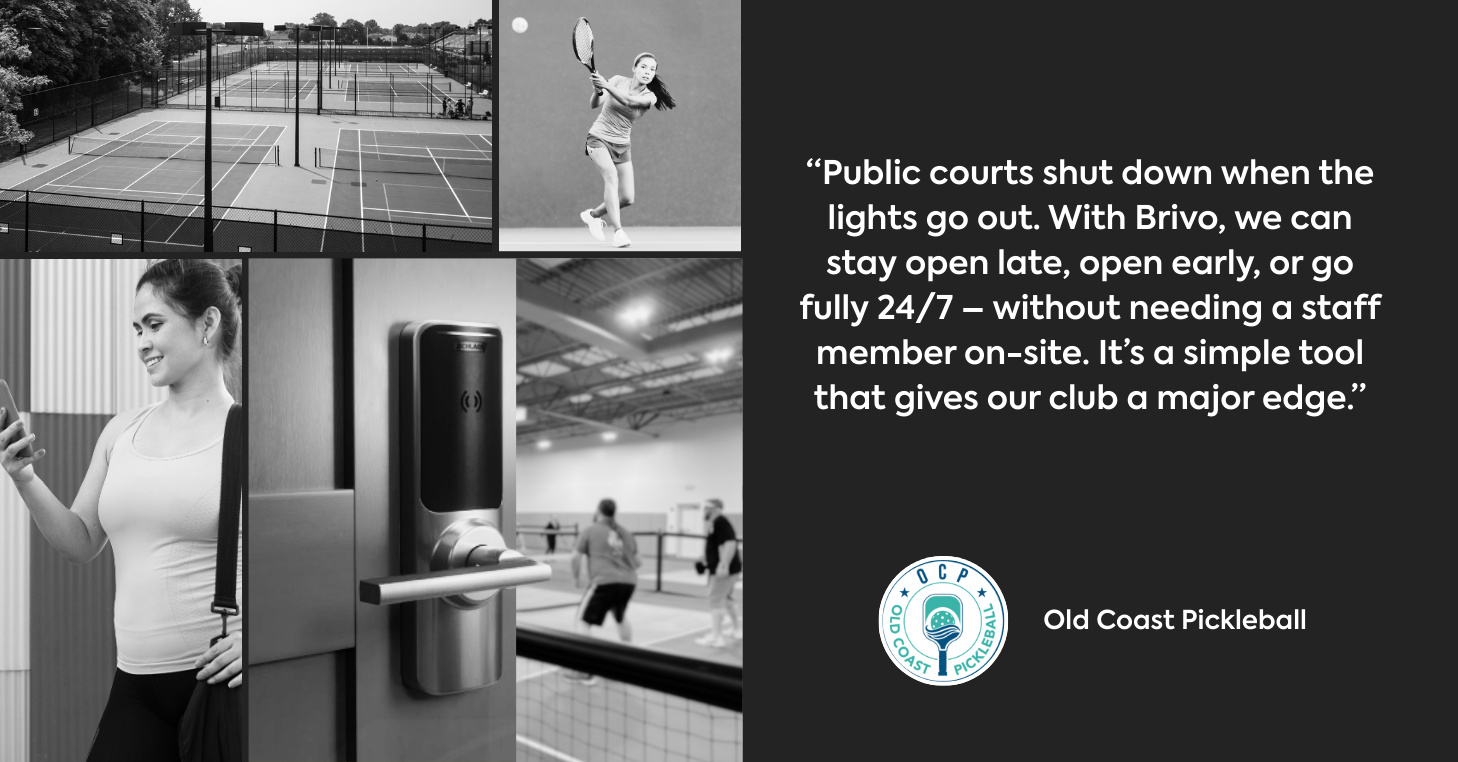
This makes access control ideal for racquet and paddle clubs with limited staff, unmanned facilities, or those looking to extend hours and operate 24/7 — without having to staff around the clock.
Your pro shop is more than a convenience for players — it’s a built-in revenue driver.
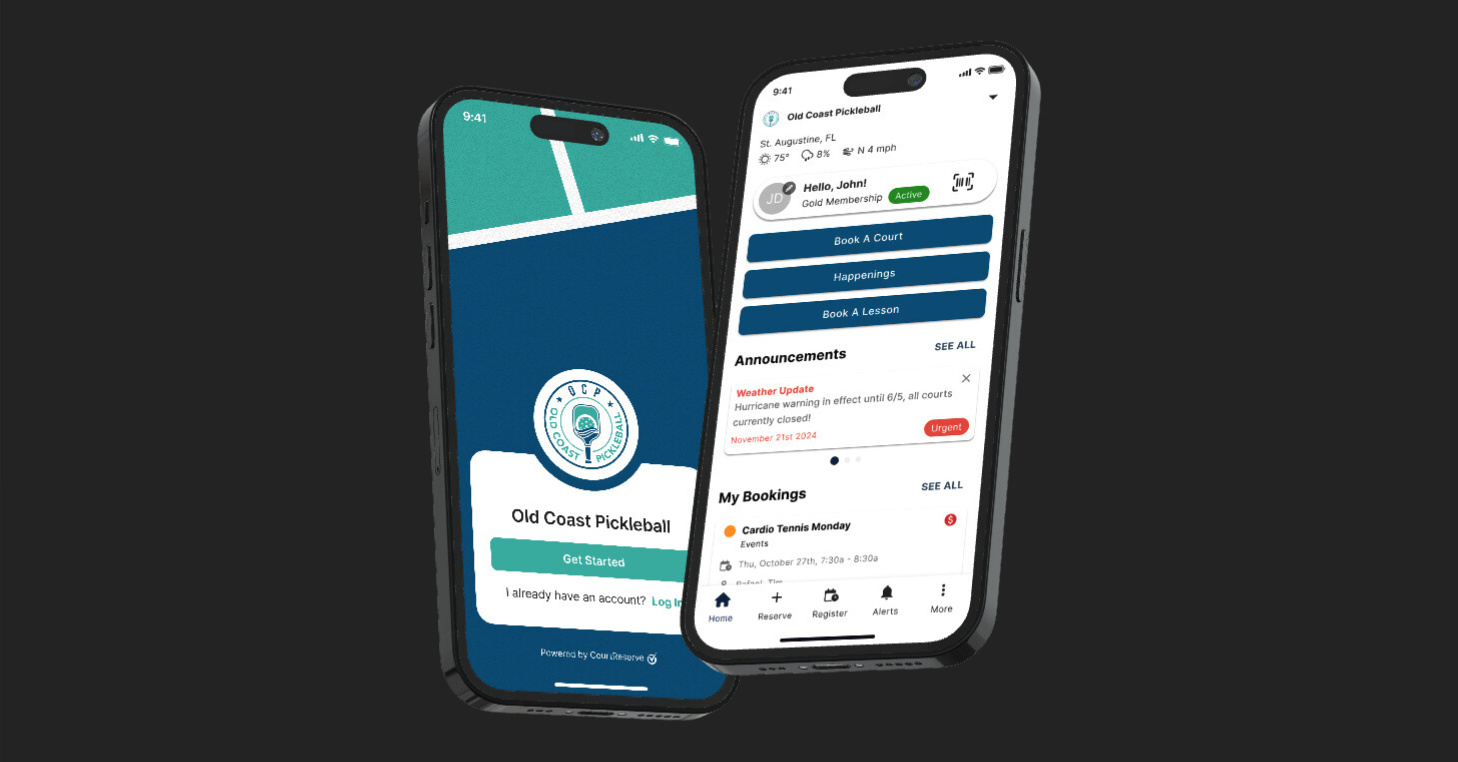
With your own logo, colors, and name, it feels like your club’s app — not a third-party tool — helping you strengthen your brand while simplifying the player experience.
Every part of your club generates data — court bookings, lesson attendance, event signups, membership renewals, and payments. Reporting and analytics tools turn that data into insights you can actually use to make decisions.
With clear dashboards and in-depth reports, you can track what’s working, spot trends, and catch problems before they grow.
By connecting payments, access, and accounting tools directly to your system, you eliminate silos, cut down on repetitive tasks, and keep all operations running from a single source of truth — giving you room to evolve without extra admin work.
It’s easy to view membership software, reservations, payments, and reporting as separate tools. But the real impact comes when they operate as one connected system.
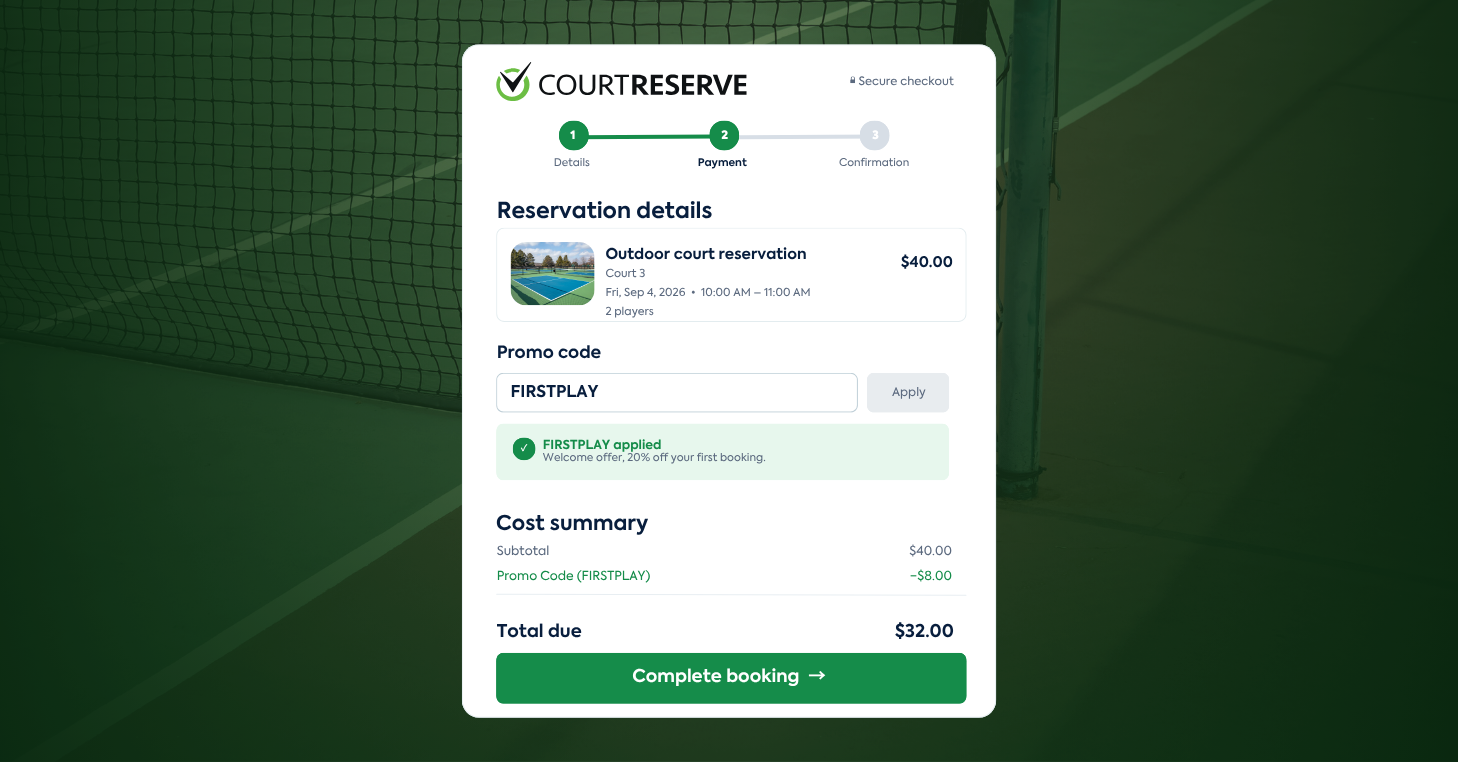
Picture this: A member books a court, receives an automated confirmation, checks in without waiting at the desk, pays on their card on file, and every detail is instantly captured in your reports.
No silos. No wasted time.
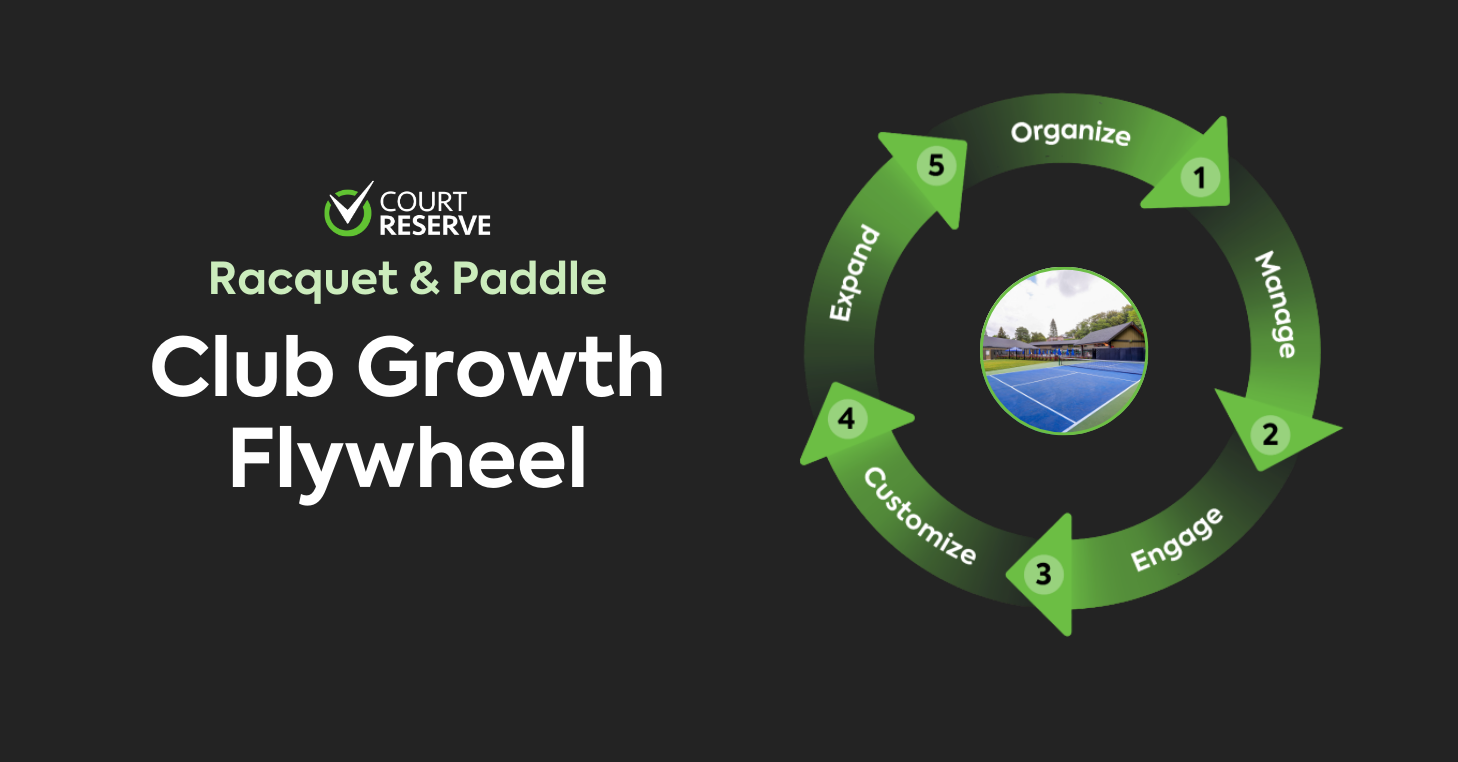
A thriving club isn’t built on one feature or quick fix — it’s built on a connected system that keeps everything running in sync.
When your tools align, you create consistency for your staff, simplicity for your members, and a foundation for long-term success.
With CourtReserve, you don’t need to juggle separate tools or patchwork solutions. You get all the core features you need — reservations, payments, scheduling, reporting, and more — in one place, designed to grow with you.
That means fewer headaches for your staff, a better experience for your members, and a platform built to carry your club into the future.