For many clubs, email marketing has never fully lived inside their core system. Lists get exported, campaigns get built in separate tools, and by the time an email goes out, there’s always some uncertainty about whether the audience is current.
CourtReserve has always been different in that regard. Bulk Email has lived inside the platform from the beginning, connected to the same member data that runs your club. No exports. No third-party lists. The audience was always there.
What wasn’t there was everything around the send. The ability to design professional-looking emails. To save templates and reuse them. To test before sending, schedule in advance, and understand what happened after an email went out. The core capability existed. The tools to do it well did not, until now. Meet Email Campaigns.
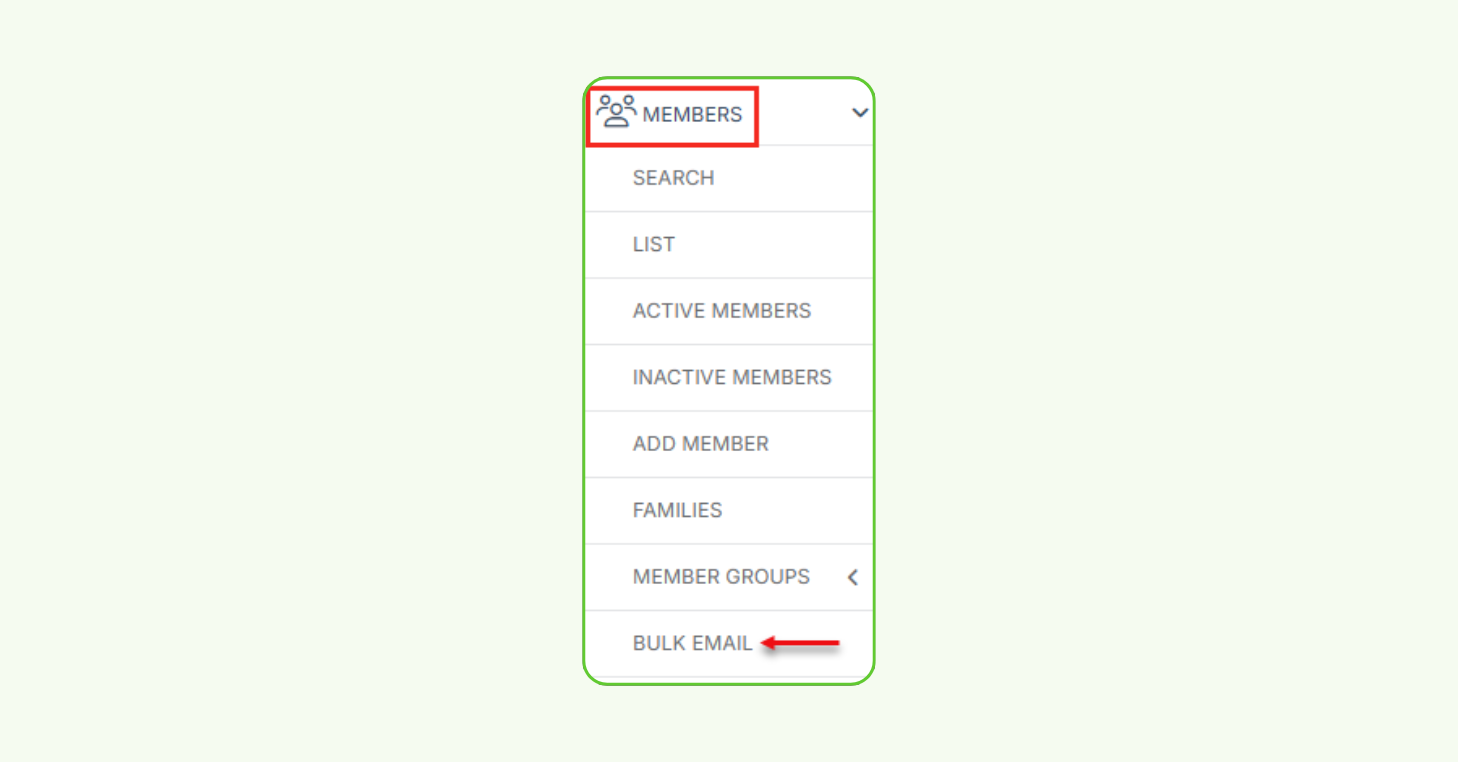
Email Campaigns is now available to all CourtReserve clubs. The old Bulk Email flow is retiring. All organizations are transitioning to Email Campaigns as the default and only supported email sending experience. You’ll find it under Members > Bulk Email, right where Bulk Email always lived.
Everything around the send
Email Campaigns builds on everything Bulk Email did well and goes further. More capable, easier to use, and accessed the same way you always have in your CourtReserve settings — with significantly more to work with when you get there.
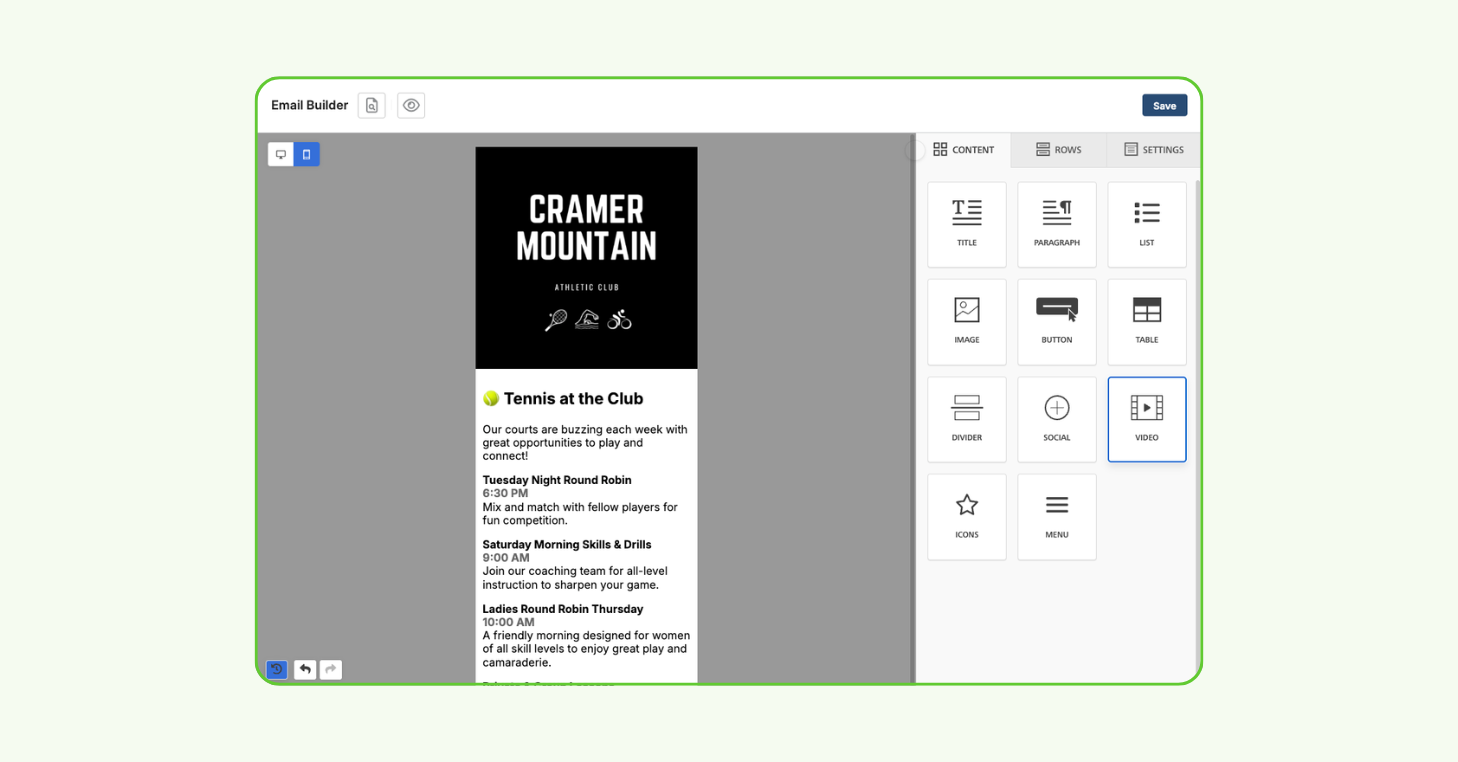
Emails are now created through a structured step-by-step workflow: selecting recipients, defining sender details, writing a subject line, and designing content using a full visual editor. Along the way, emails can be saved as drafts, tested before sending, and scheduled for the right moment.
The result is a more controlled and consistent way to communicate. Audiences are easier to build. Messages are easier to design. And everything stays connected to your live member data, the way it always has been, just with notably more power behind it.
Email Campaigns still supports quick announcements and bulk sends, but it now also supports something more deliberate. Planned, repeatable campaigns that don’t require rebuilding the process each time.
What CourtReserve’s Email Campaigns means for your club
Prepare emails in advance and send them at the right time. Target specific audiences. Reuse and standardize communication through email templates, while still tailoring messages to specific groups.
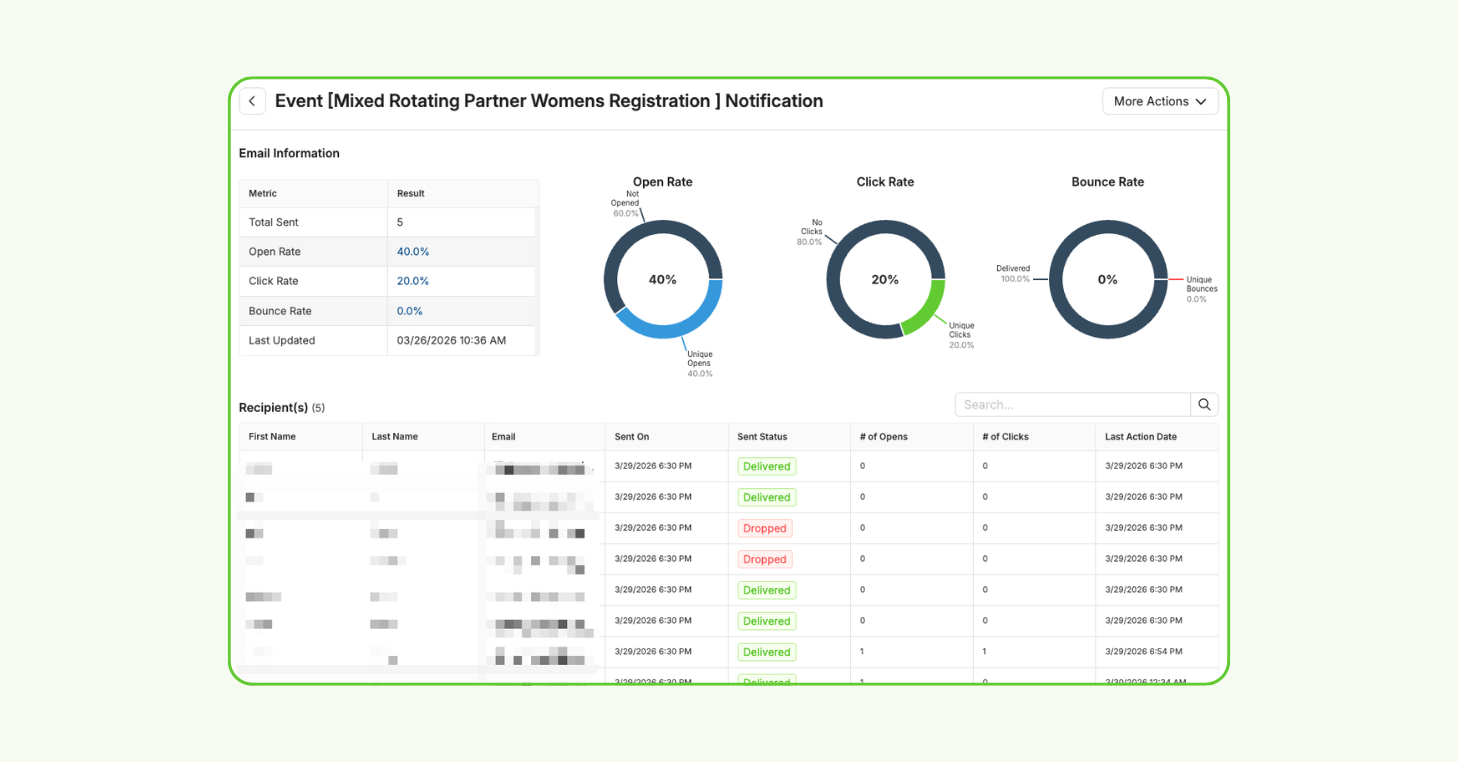
Once emails are sent, performance is visible directly within CourtReserve. Open rates, click rates, and delivery status are tracked alongside each campaign, making it easier to understand what’s working and refine future communication over time.
It’s everything clubs needed to turn email into a real marketing channel, without adding another tool to the mix.
Built on what was already there
The original Bulk Email tool worked. Admins could write a message, select recipients, and send. But beyond that, options were limited. There were no saved templates, no way to test before sending, no scheduling, and no visibility into what happened after an email went out.
The rebuilt Email Campaigns experience changes each of those things, without changing where it lives or how it’s accessed.
Here is what specifically changed:
- Email Design — Emails are now exclusively built in a full drag-and-drop visual editor that supports images, buttons, dividers, and structured layouts.
- Templates — Build branded templates once and reuse them across campaigns, so creating a new email doesn’t mean rebuilding the last one.
- Draft Management — Drafts save automatically, so work is never lost and emails can be completed and sent when the time is right.
- Send Test Email — Send test emails to staff for review before anything goes to members, allowing you to catch errors before they reach your full audience.
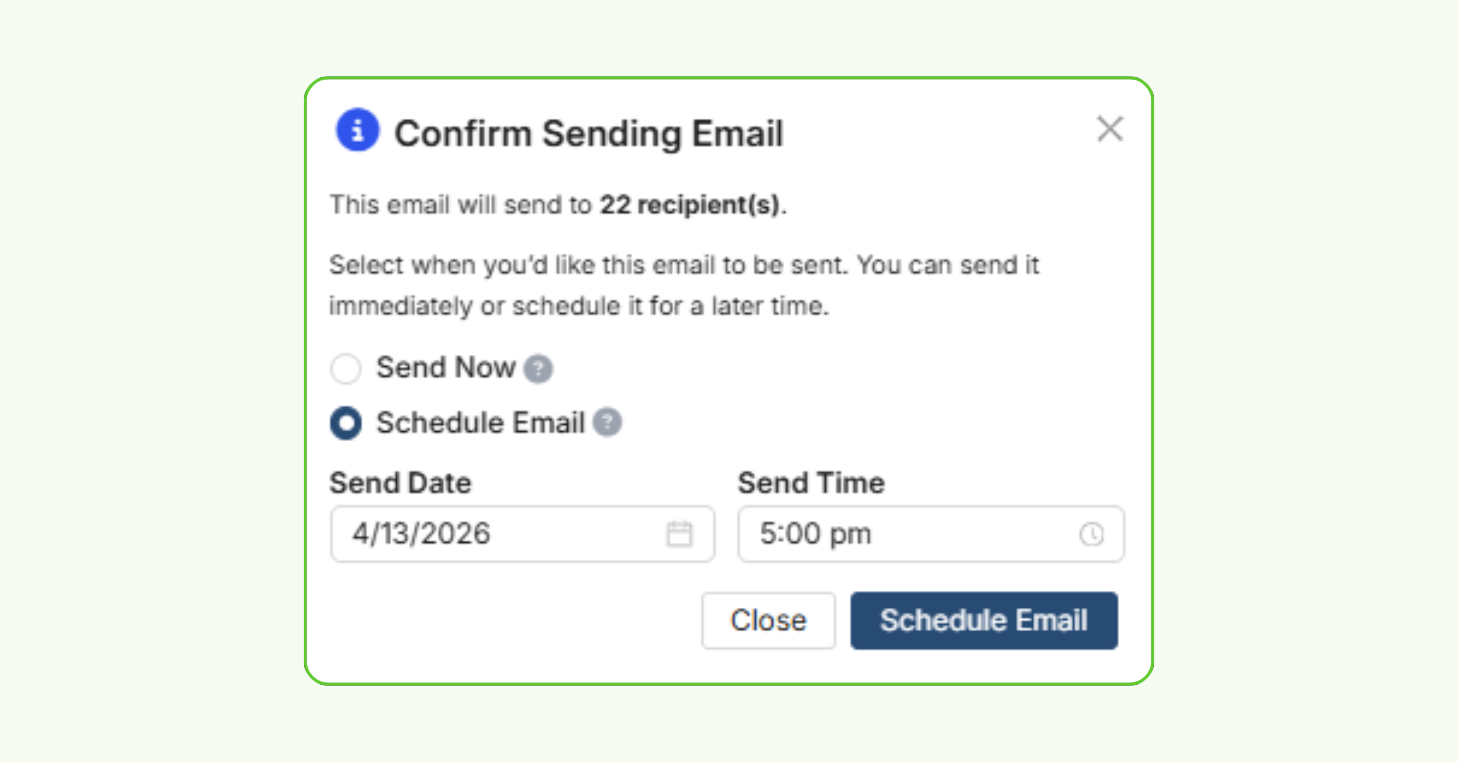
- Scheduling — Schedule campaigns in advance so the right message arrives at the right time, without requiring someone to be at their desk to send it.
- Recipient Filters — Filters are now accessible from a clean, dedicated panel. They’re faster to use and easier to navigate than the previous layout.
- Recipient List Pagination — Recipients are no longer capped in a way that excluded members from large lists. Every matching recipient is now accessible and selectable.
- Engagement Metrics — Open rates, click rates, and delivery status are all visible inside CourtReserve after every send, no third-party dashboard required.
- Duplicating Sent Emails and Saving as Templates — Any sent email can be duplicated or saved as a template, so successful campaigns can be reused and refined rather than rebuilt.
- Centralized Dashboard — Drafts, scheduled emails, sent history, and templates are all managed from one place — a single dashboard that gives a clear view of every campaign, past and present.
These are capabilities clubs have always needed. Until now, they’ve typically required separate tools and extra coordination to execute. With Email Campaigns, that’s no longer the case.
Ready to hit send?
Bulk Email has always been part of how CourtReserve helps clubs communicate. Now Email Campaigns is a marketing tool racquet clubs can actually build a strategy around.
The old Bulk Email flow is retiring. Email Campaigns is the new standard, and it’s ready when you are.
Visit the guides below to learn more.
Help & User Guides:
Introducing Email Campaigns: Smarter Bulk Emails For Your Club
Bulk Email: Create and Send Emails
Bulk Email: Manage Emails, Track Metrics, and Use Templates
Video Tutorial: How to Use Email Campaigns in CourtReserve
*Additional email sending fees may apply.