Every time your club adds courts, lines tennis courts for pickleball, launches a league, or changes membership rules, your schedule has to keep up.
When it doesn’t, the gaps show up as double bookings, overlapping programming, and This guide covers how pickleball, tennis, and padel clubs prevent those conflicts before they happen, from how your court reservation software is set up to the order you build your schedule and the routines that keep it accurate.
How to prevent double bookings at a glance:
- Get your court setup right first
- Build your schedule in the right order
- Prepare for the booking-day rush
- Set clear booking and override permissions
- Put a weekly schedule check on the calendar
- Review your setup when the club changes
Why do pickleball and multi-sport racquet clubs struggle with basic court reservation software?
Basic booking software can struggle to keep up with how racquet and paddle clubs actually use their courts. As your club grows, more demand has to fit into a finite amount of court time. When the same courts support different layouts, programs, and booking patterns throughout the day, there are more opportunities for scheduling conflicts and double bookings to slip in.
Here are five common situations that put pressure on your court schedule:
- Surfaces get shared. A tennis court lined for pickleball becomes one tennis court and up to four pickleball courts on the same surface. If the system treats those layouts as separate inventory, two reservations may claim the same physical space.
- Pickleball turns courts over quickly. Shorter booking blocks can mean more reservations moving through the courts in a single day. The more often availability changes, the more important it is for each new booking to update the schedule before the next one is confirmed.
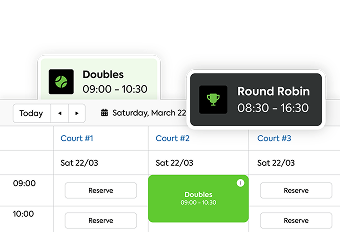
- Courts serve more than one format. One court might host open play in the morning, a clinic at noon, a team match in the evening, and private reservations in between. Each program needs to remove that court time from availability as soon as it is scheduled.
- Groups can accidentally book twice. In doubles, multiple players may be coordinating the same match. If two people each reserve a court, one game ends up holding two bookings.
- Demand spikes when booking opens. If prime-time pickleball or padel courts open for booking at the same time each day, several members may go after the same slot at once. Availability should be rechecked before each reservation is confirmed so the court only goes to one booking.
These are everyday scheduling realities for pickleball, tennis, and padel clubs. Preventing them from turning into conflicts depends on having the right court setup, booking rules, and operating practices in place.
6 ways to prevent double bookings at your racquet and paddle club
A reliable schedule starts before members ever book. The right court setup, booking rules, and operating habits work together to keep availability accurate and prevent conflicts before they reach the front desk.
Here’s how to build those safeguards into the way your club operates.
1. Get your court setup right first
Before you build programs, open member booking, or add new rules, make sure your schedule is working from one source of truth. These are the first places to look for gaps in your setup:
Keep every booking path on one system. Member, front desk, web, and non-member bookings should all update the same schedule and court availability. If anything still lives on paper, in a spreadsheet, or on a separate calendar, start by moving those booking paths into one system.
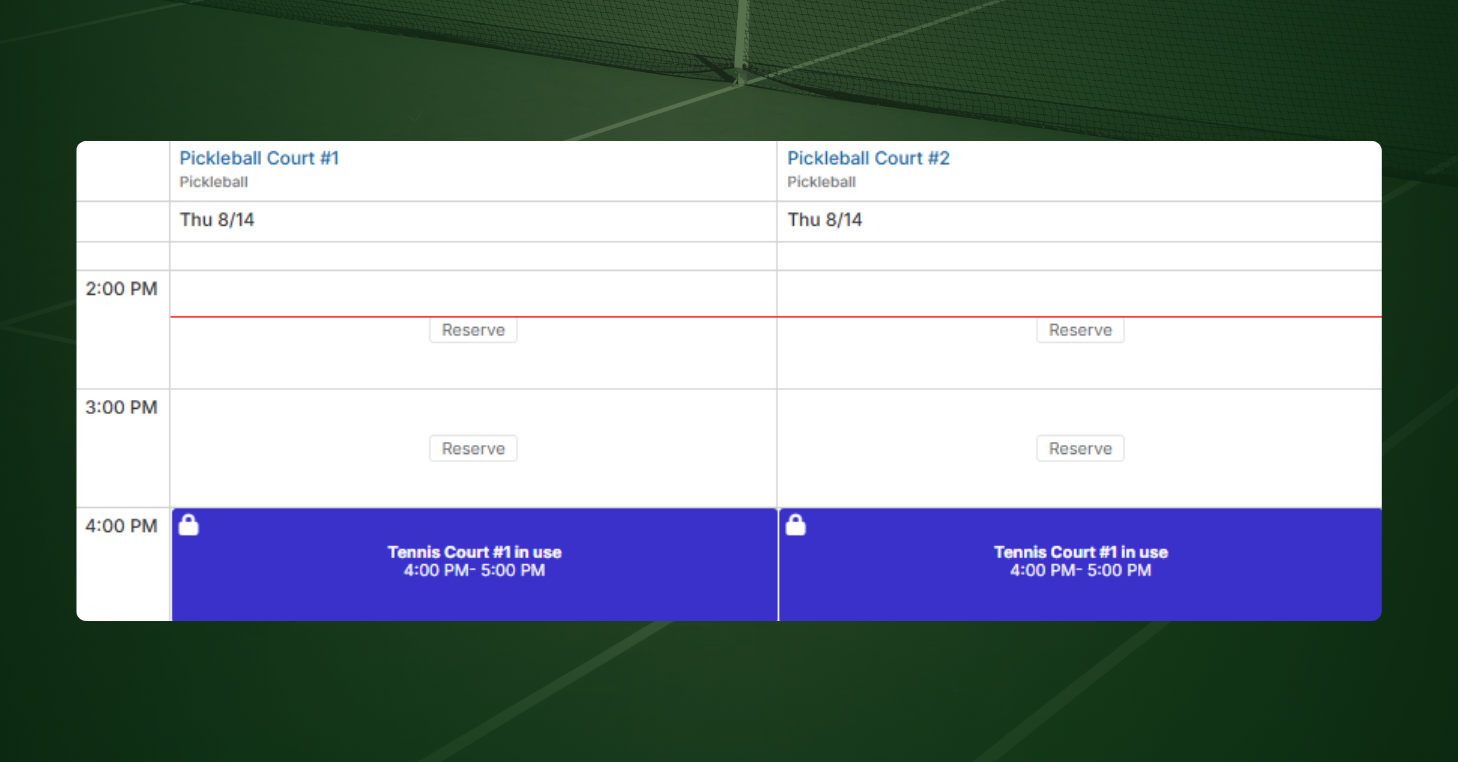
Link courts that share a surface. A tennis court lined for pickleball may be bookable in several configurations. Set those up as linked or combo courts so booking one blocks any overlapping layout. Clear court names help staff see those relationships too. “Pickleball 3A (Tennis 3)” makes the shared surface obvious at a glance.
Recheck availability before confirming a reservation. A court can look open when a player starts booking and be taken seconds later. Your system should confirm the slot is still available before finalizing the reservation.
Set booking rules around how your club operates. Define who can book which courts and when, plus limits on prime time, future reservations, and overlapping bookings. Your court reservation software should enforce those rules consistently, even when several apply to the same reservation.
If you aren’t sure where your system stands on any of these, our guide on how to audit and fix booking conflicts walks through a test for each one. Once these basics are in place, you can build the rest of your schedule around them.
2. Build your schedule in the right order
Once your setup is in place, the order you add things to the calendar matters. Known court commitments should go on the schedule before members can reserve around them.
Build in this order:
- Season dates and operating hours. Set when the facility is open and available for play.
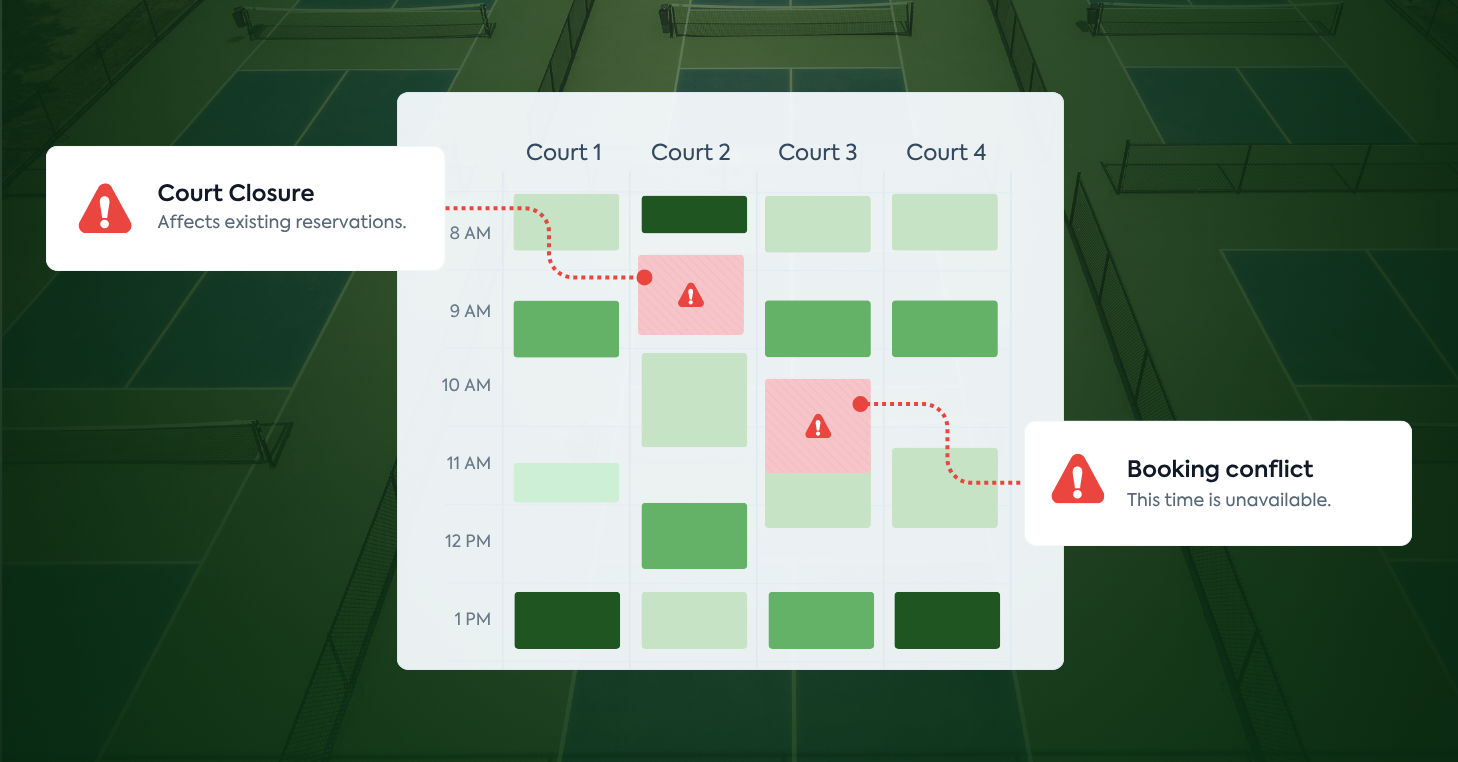
- Closures and maintenance. Add maintenance plans, tournaments, private events, holiday hours, and anything else that takes courts out of service.
- Programming. Schedule leagues, clinics, lessons, ladders, round robins, and open play, with the courts they need already reserved.
- Member booking. Open whatever court time remains.
Treat open play like any other program. Decide which courts and times it uses before private reservations open. That way, members only see the availability they can actually book.
Add programs as soon as the courts are committed. If members can reserve seven days ahead, a program using those courts needs to be on the calendar before those dates become available to book.
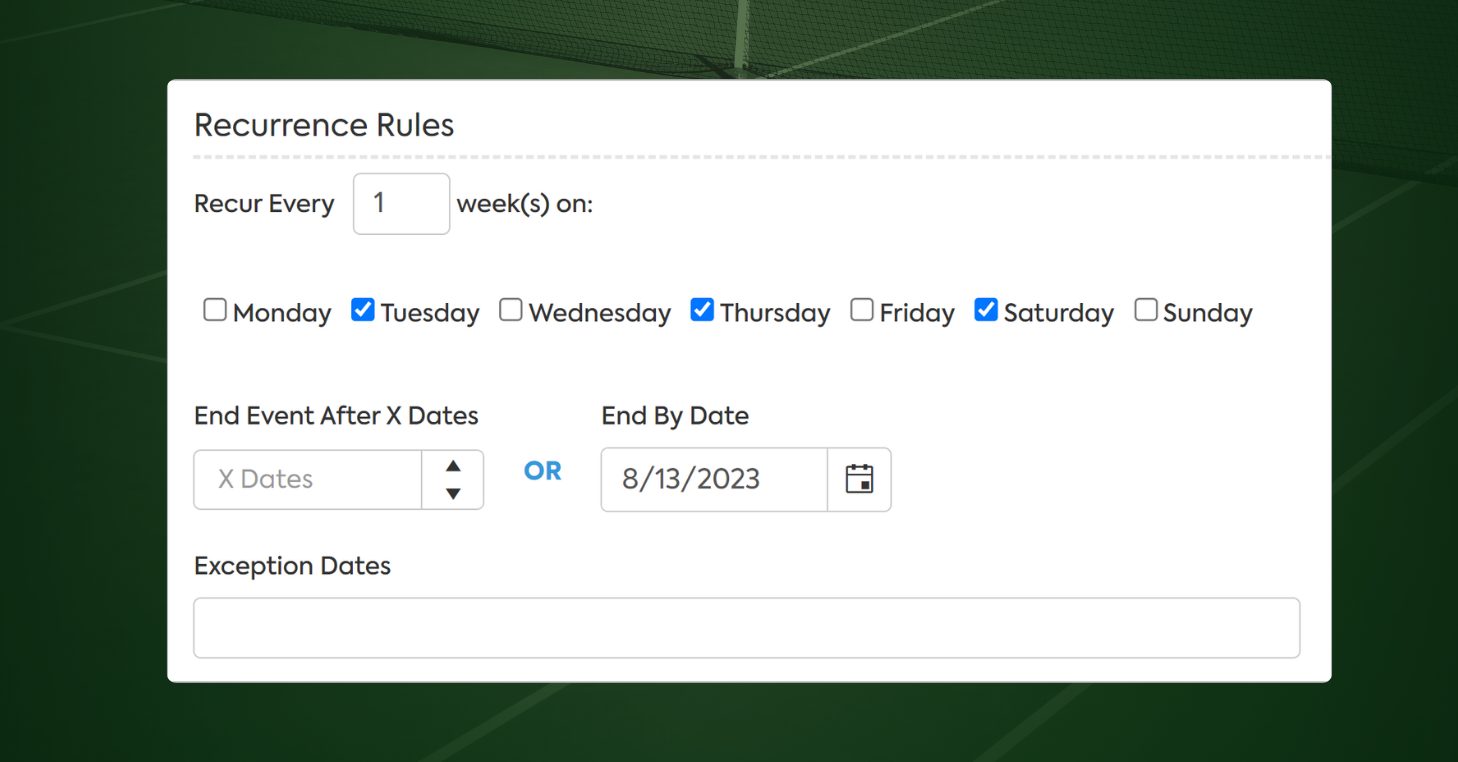
Give recurring programs an end date. When you create a recurring league, clinic, or other event, give the series an end date. If there’s a holiday, tournament, or another week it won’t run, skip that date instead of rebuilding the whole series. Before each new season, review your active recurring reservations to make sure they still reflect what’s on the schedule.
3. Prepare for the booking-day rush
When prime-time availability opens, several members may go after the same few slots at once. Your booking process needs to keep those simultaneous requests from creating conflicts while giving players a fair way to compete for high-demand court time.
Put guardrails around prime time. Define your busiest periods and decide how much access each membership type should have during those hours. Daily or weekly limits can help prevent the same members from holding too much of your most in-demand court time.
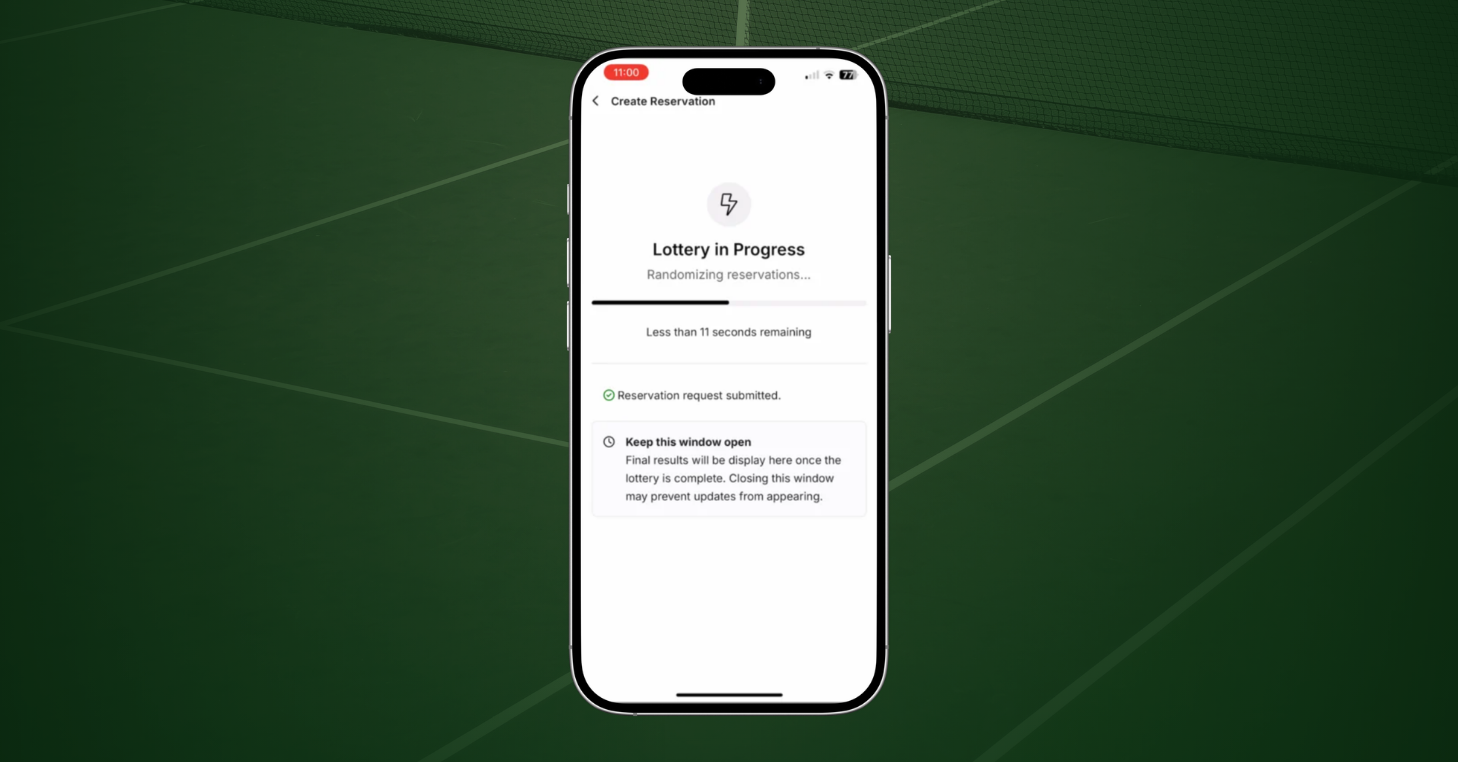
Use a reservation lottery when demand hits all at once. Instead of rewarding whoever clicks fastest, collect booking requests during a short window and process them in a randomized order. A reservation lottery gives each request a fair chance while reducing the pressure around high-demand opening times.
4. Set clear booking and override permissions
Even strong booking rules can break down if too many people can create, change, or override reservations. Give staff the access they need for their role, and be deliberate about the permissions that can affect court availability.
Limit who can create or change reservations. Decide who can book on behalf of members, edit existing reservations, manage closures, or change recurring bookings. Front desk staff may need broader access than instructors or other team members.
Be selective with override permissions. Abilities like booking against member restrictions or creating conflicting reservations should only go to staff who need them. Define when those overrides are appropriate so they don’t become the default workaround.
Give programming a clear owner. If several people schedule leagues, clinics, lessons, or events, make sure they work from the same calendar and follow the same process for reserving courts.
Give doubles groups one booking owner. Ask one player to reserve the court and add the other players to the booking. That reduces the chance of two people reserving separate courts for the same match.
Review access when roles change. Remove permissions staff no longer need when responsibilities shift, or someone leaves.
5. Put a weekly schedule check on the calendar
Even with a strong setup, your schedule will continue to change throughout the week. Programs get added, courts close, staff make edits, and member reservations keep coming in. A quick recurring review can catch problems before they reach players.
Look ahead to next week. Scan the schedule with extra attention on prime time, shared surfaces, and courts with heavy programming. Make sure reservations, programs, and closures all line up with how the courts will be used.
Do a deeper review before busy periods. A new league, tournament, or seasonal programming change is a good reason to look further ahead at the courts and times affected.
Give the review an owner. Assign one person to make the weekly check, with a backup when they’re out. Clear ownership makes it much less likely that everyone assumes someone else already looked.
6. Review your setup when the club changes
A booking setup that worked last season may need to change as your club evolves. Treat any operational change that affects courts, access, or staff responsibilities as a reason to revisit the relevant settings.
Recheck court relationships when layouts change. If you add courts, reline a surface, or introduce another sport, make sure linked and shared courts still reflect the physical space.
Update rules when access changes. A new membership type, location, or booking policy may require different court access, prime-time limits, or reservation restrictions.
Revisit permissions when responsibilities shift. New staff or role changes are a good time to confirm that booking, editing, and override access still matches each person’s job.
Which court booking platform prevents double bookings for busy facilities?
The right court booking platform should support the same operating practices you use to prevent conflicts in the first place. The same criteria apply whether you’re comparing a multi-sport club management system or pickleball court reservation software.
Look for a system that can:
- Keep member, staff, and public bookings on one live schedule
- Recheck availability before a reservation is confirmed
- Link shared surfaces and overlapping court layouts
- Remove courts from availability when programs, open play, or closures are scheduled
- Apply complex scheduling rules by membership type, court, and time, even when several overlap
- Handle concentrated demand fairly when booking opens
- Keep a record of who created, changed, or canceled a reservation
If your current system can’t handle one of those areas, staff have to fill the gap manually, increasing the chance that an update gets missed or a conflict slips through. That’s why investing in the right club management system matters. Your scheduling software should enforce the processes your team puts in place, so staff aren’t checking every booking by hand.
CourtReserve brings those scheduling controls into one system built for tennis, pickleball, and padel clubs. Features like combo courts, booking restrictions, Reservation Lottery, programming, and closures are native to the platform and work from the same court schedule.
To see how that looks at different kinds of clubs, read how the USOP National Pickleball Center runs 65 courts and more than 8,000 members, or how MG Tennis at Lake Cane Tennis Center manages court bookings, programs, and retail in one place.
A schedule your staff can trust
CourtReserve gives clubs one place to manage day-to-day racquet sports operations, with scheduling controls designed to work together rather than leaving staff to connect the dots manually. That helps keep availability accurate, rules consistent, and the schedule easier to trust as more players, programs, and bookings are added.
If double bookings, manual workarounds, or scheduling complexity are becoming harder to manage at your club, schedule a call with our team. We’ll walk through your courts, layouts, and booking rules and show you how CourtReserve can support them.
Frequently asked questions about preventing double bookings
How do you prevent double bookings at a pickleball, tennis, or padel club?
Keep every booking path on one live schedule, link courts that share a surface, and reserve courts for programming before member booking opens. Then set clear booking rules and staff permissions, manage high-demand periods, and review the schedule regularly as your club changes. For a deeper look at the software side, see the 10 features pickleball court scheduling software should handle.
How do you prevent double bookings on tennis courts lined for pickleball?
Link the tennis court and its pickleball layouts so they share the same underlying availability. When one configuration is reserved, every overlapping configuration should become unavailable for that time.
How do clubs handle the rush when court booking opens?
Set clear limits around prime-time access and use a fair process when many members want the same courts at once. A reservation lottery can collect requests during a short window and process them in a randomized order instead of rewarding whoever clicks fastest.
Can open play and private reservations use the same courts?
Yes. Decide which courts and times are reserved for open play before private booking opens, and make sure those blocks are reflected on the same schedule members use to reserve courts.
Who should be allowed to override booking rules?
Only staff who need override access for their role. Define when overrides are appropriate, limit those permissions, and use an audit trail so you can see who created, changed, or canceled a reservation if a conflict needs to be investigated.
How should clubs manage recurring reservations?
Give every recurring league, clinic, lesson, or event an end date when it is created. Use exception dates for weeks it will not run, and review active recurring reservations before each new season to make sure they still match the club’s programming.